Management software for electricians

Plan your electrical repairs and installations, organise your teams and track every worksite from office to field with Techtime.

Techtime helps electrical contractors organise their missions, worksites and teams from a single environment.

Schedule, field information, hours, documents and photos stay linked to the relevant activities to make day-to-day tracking easier.

Manage your electrical missions and worksites with Techtime

Plan missions, assign your technicians and centralise the information needed to track your electrical work.

Plan your electricians’ missions

In an electrical company, a repair to be done the same day can be added on top of installations already scheduled. Techtime lets you see these activities in one schedule and adjust technicians’ assignments when priorities change.

For projects that combine design, workshop preparation and installation on site, you can create separate activities with their own dates and staff. You organise the different stages and your teams’ visits, rather than reducing the project to a single overall period.

  • Allocate technicians between short missions and worksites lasting several days.
  • Specify the times and the contact person to prepare each trip.
  • Reorganise activities when an absence or another contractor’s delay pushes the work back.

At Techniques Électriques, which specialises in industrial and commercial electrical work, technicians check their provisional schedule on mobile. In the office, the team uses Techtime web to manage resources, adapt plans and pass on practical worksite information.

Find out how Techniques Électriques organises its worksites with Techtime.

Follow the information your technicians send back

After a repair or a day of installation work, your electricians can describe the work done, add photos and enter their time spent from the Techtime mobile app. This information stays linked to the relevant activity to make tracking from the office easier.

Hours linked to each mission

A repair at one customer’s premises and a day of installation on another worksite are different activities. By filling in an attendance sheet for each one, your technicians make it possible to distinguish the time spent on different missions, rather than just sending a total for the day.

Photos and documents to track the installation

A technician can add an annotated photo to locate a piece of equipment or show the progress of the work. The plans and documents linked to the worksite can also be viewed on their mobile. Written information and photos complement each other to explain what was done on site.

Useful information for the next visit

In the mission description, your teams can specify the work carried out and the points still to be dealt with. The manager then has concrete information to prepare a new visit, pass instructions to the assigned technician and organise the rest of the work.

A real-life example at Techniques Électriques

At Techniques Électriques, technicians fill in their attendance sheets on their phones. In the office, the company collects at the end of the month what it needs to prepare payroll. Time entered in the field feeds both activity tracking and administrative work.

Software suited to the way an electrical company works

Between urgent call-outs, scheduled installations and ongoing worksites, an electrical company must be able to coordinate its teams quickly and find the information each activity needs.

For the manager or works manager

Techtime lets you see ongoing missions and worksites, organise technicians and follow information from the field in one environment.

The schedule, hours, documents and photos stay linked to the relevant activities, cutting down on scattered files and exchanges.

For technicians in the field

From the mobile app, electricians find the missions they are assigned to and the information needed to carry them out.

They can also enter their hours, send photos and report the information needed to track the mission.


Electrician in a hard hat installing a wall socket

Track the progress of your electrical missions

Techtime centralises the information linked to each mission to make it easier to track your technicians’ activity.

Hours worked, documents, photos and field information stay linked to the relevant mission. You can quickly find what has been done and what is still to be dealt with.

Management software that adapts to your company

Every electrical company has its own organisation, depending on its teams, customers and the nature of its missions.

Techtime provides a common core for managing worksites and missions. It can be extended when your organisation needs a specific way of working.

Additional features can be considered to bring the software closer to your business processes without starting from a new application.

How does Techtime help electricians?

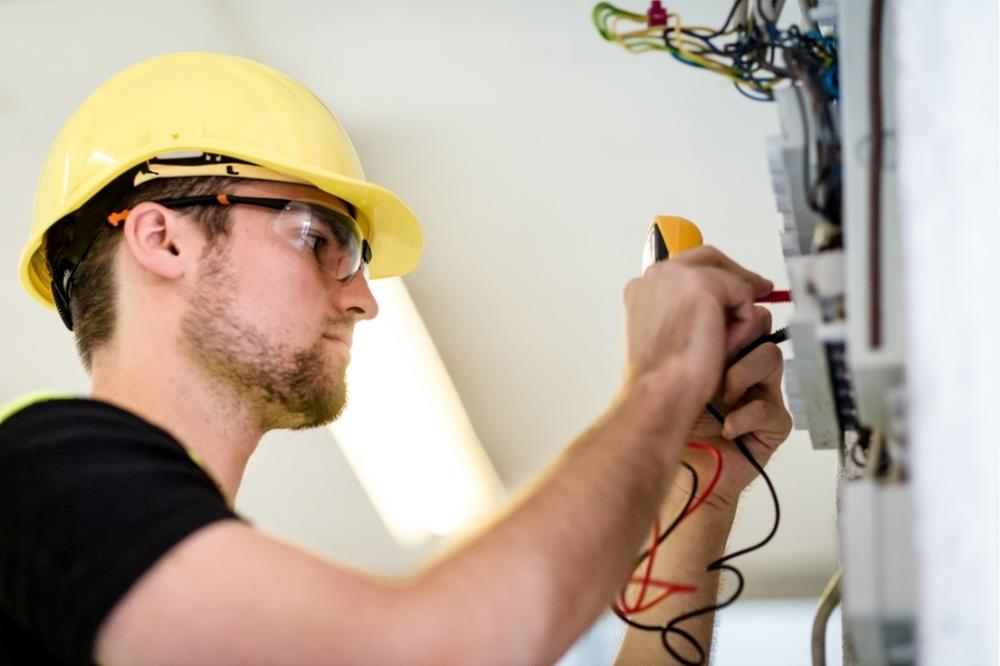
Electrician in a hard hat measuring voltage in a distribution board

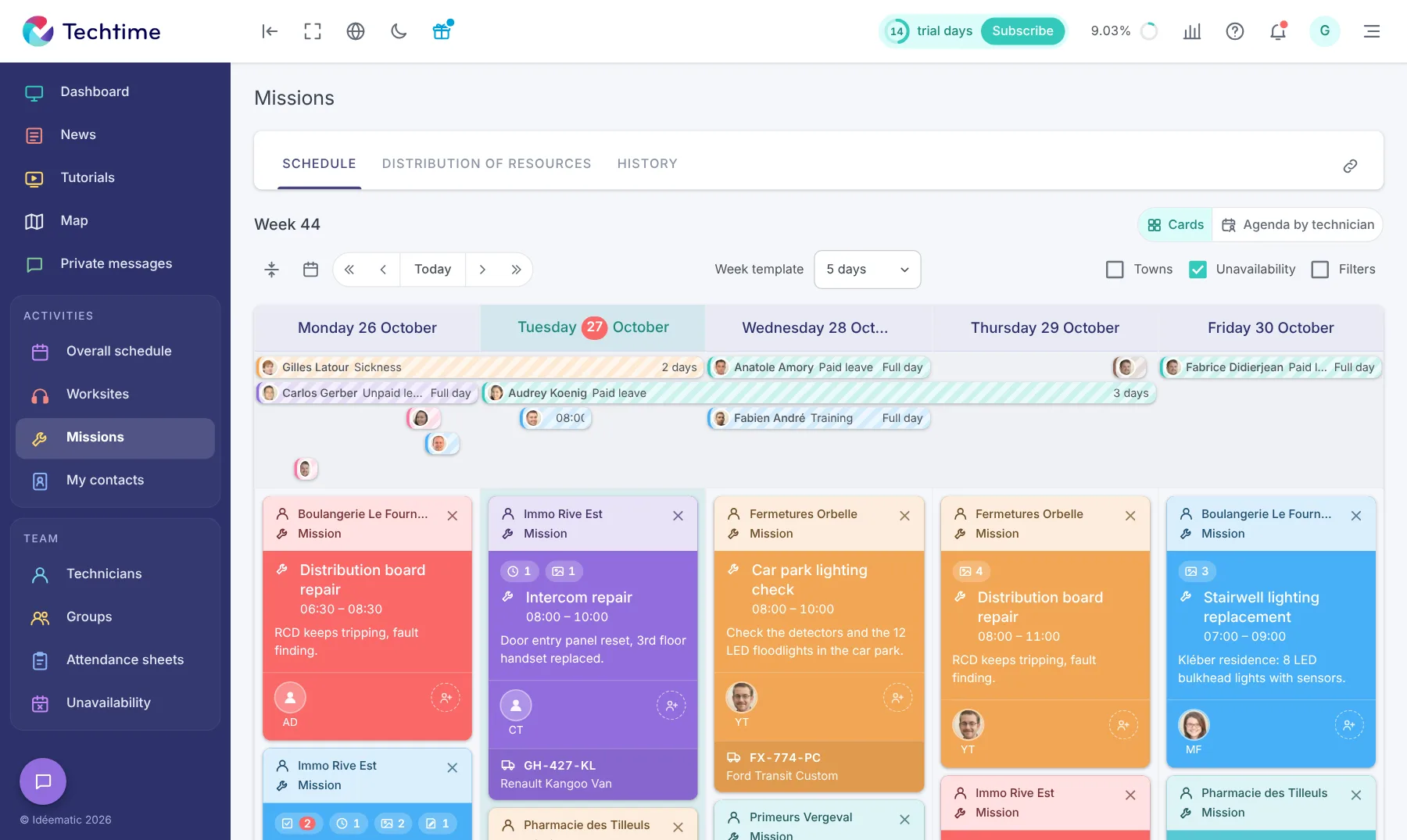
Organise your electricians’ schedule

Between repairs, installations and scheduled worksites, Techtime lets you see upcoming activities and allocate technicians as needed.

  • plan missions and worksites;
  • assign the technicians involved;
  • see upcoming activities;
  • adjust your organisation to emergencies.

To go further, discover our construction scheduling software.

Track your missions directly from the field

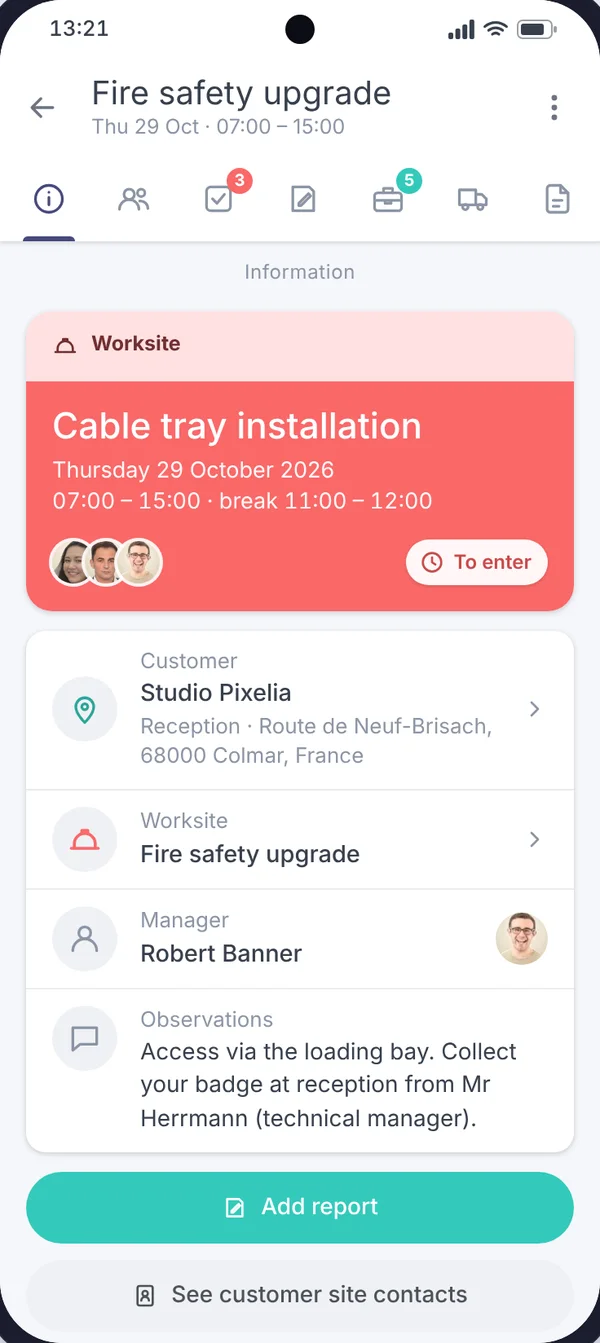
From the Techtime mobile app, electricians can view their activities and send the information needed to track missions.

  • enter the hours worked;
  • send photos and field information;
  • view the related documents;
  • report the progress of the mission.

Also discover our construction worksite tracking app.

app.techtime.fr/interventions
Mission schedule of an electrician in Techtime: Distribution board repair, LED tube replacement, Car park lighting check…
Details of the “Cable tray installation” activity on the “Fire safety upgrade” worksite in the Techtime mobile app

Want to try Techtime on your worksites?

An urgent repair to organise, a worksite to prepare or hours to collect? Find in Techtime the information you need to coordinate your missions and technicians.

Tell us about your organisation during a demo to see how the schedule, hour tracking and the mobile app can meet your electrical company’s needs.

Techtime supports electrical contractors every day

Schedule

Organise your missions

Plan activities and allocate your technicians according to worksites and emergencies.

Field

Centralise information

Hours, photos, documents and mission data stay accessible in one place.

Tracking

Keep a clear view

Find the information you need to track your missions, worksites and teams.

Free trial

Sign up in under 47 seconds

No commitment, and you gain your superpowers: 14 days to try Techtime with your teams.

Yes, I’m flying: sign me up
Illustration: three people in superhero capes on a building under construction, between two cranes