The location and the work to be done
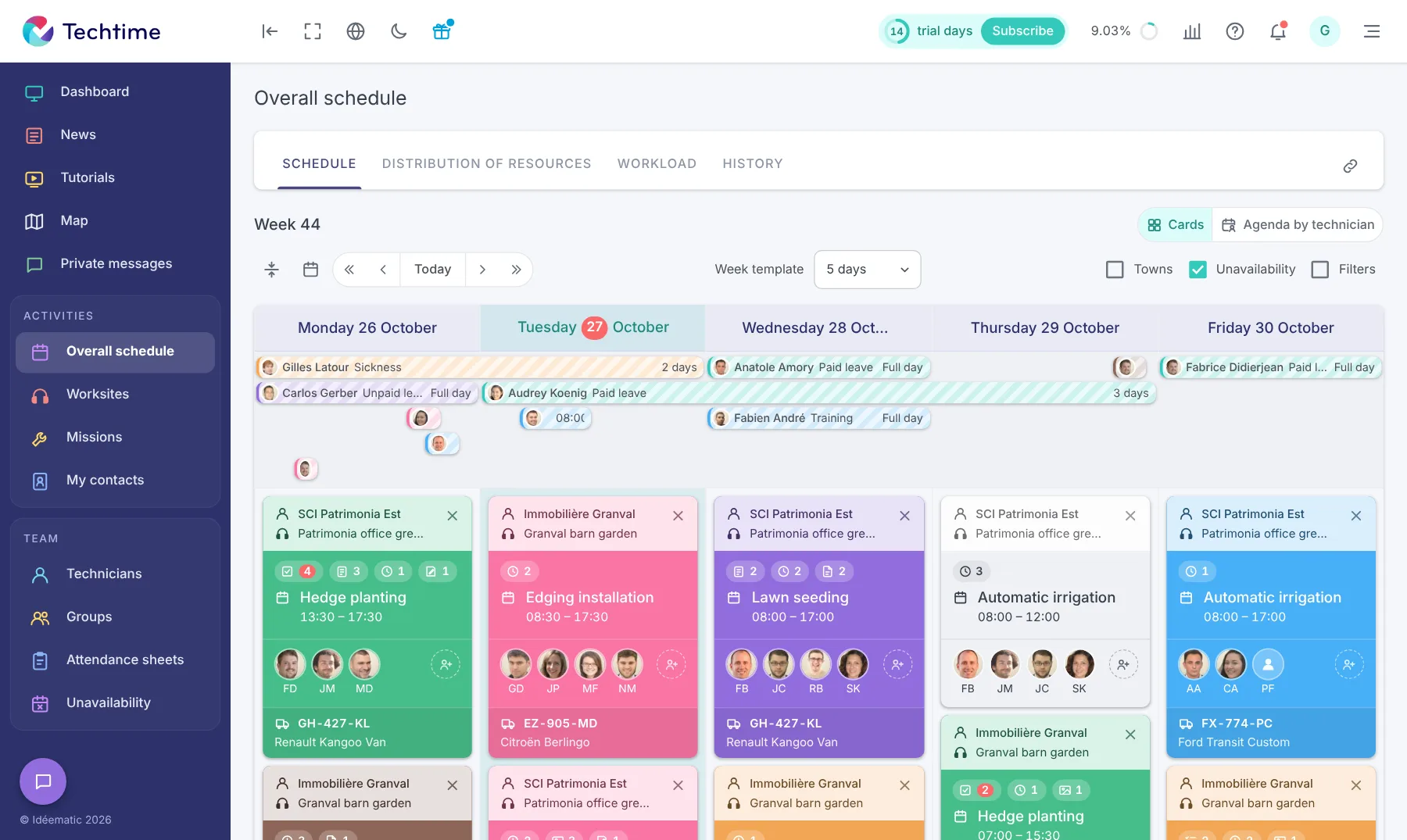
Each activity shows the worksite concerned and the staff assigned. Add the details needed so that the team knows what is planned before arriving on site.
Plan your teams, organise your landscaping worksites and maintenance missions, then pass on instructions and field information with Techtime.
Do you need a management app for landscapers?
Management software for landscapers gives landscaping companies the tools they need to track their customers and missions.
You can allocate several teams and manage the travel of your landscapers, gardeners and tree surgeons with less effort. Whether you are in the office or in the field, you have a digital tool at hand to:
With the Techtime trade tool, you keep track of your teams, your ongoing or completed work and everything you need to stay organised and keep your customers happy.
Techtime is management software for landscapers that unifies operational procedures and encourages more collaboration between teams.
Two apps have been designed to meet users’ needs according to their tasks, settings and roles:
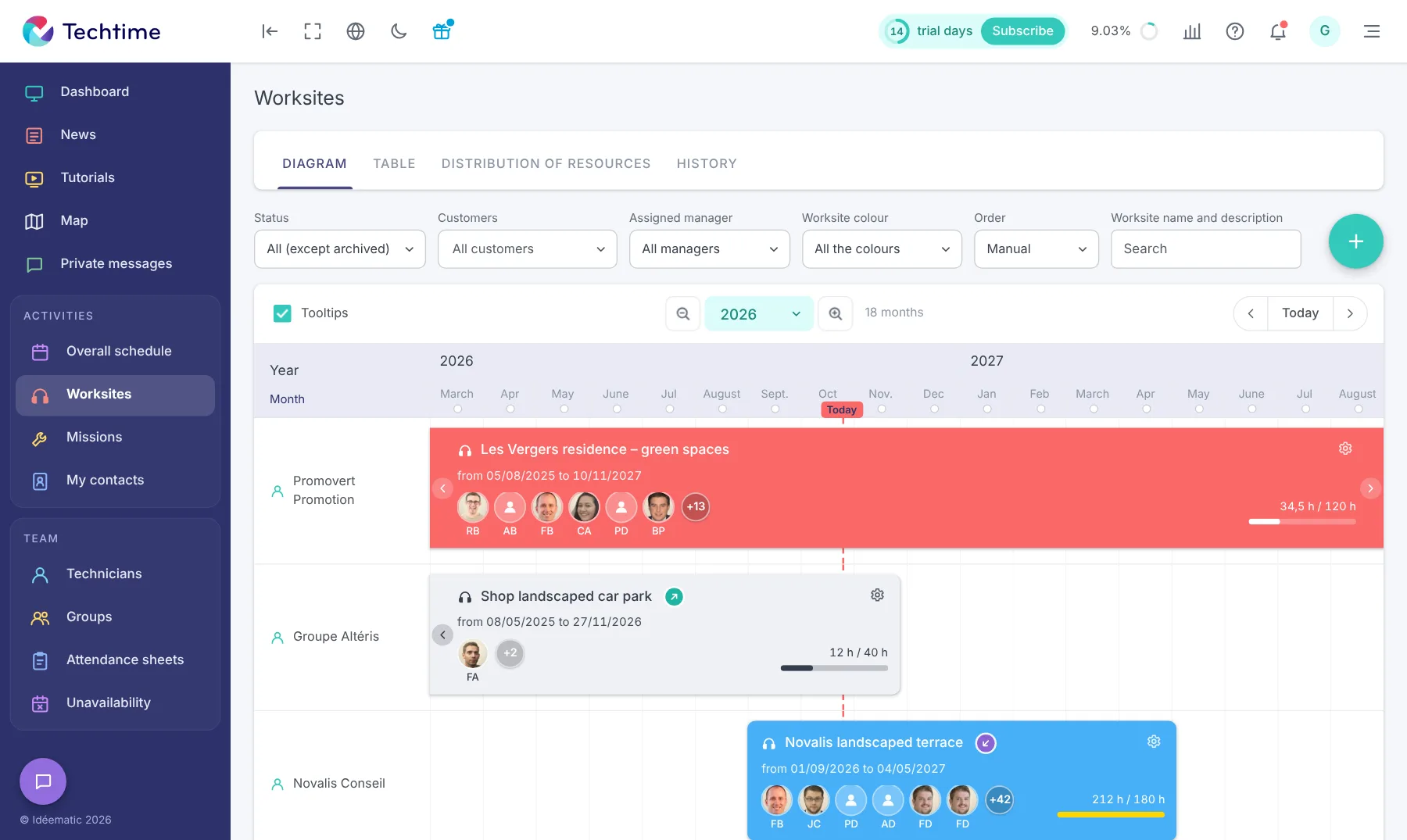
A landscaper’s schedule rarely goes exactly to plan. A day of planting or earthworks can be pushed back by the weather, while recurring maintenance or another worksite must keep moving forward.
In Techtime, each worksite or mission appears in the schedule with the staff involved. When an activity has to be postponed, change its date and reorganise assignments while keeping a view of the other work already planned.
You can distinguish landscaping worksites that tie up a team for several days from shorter, regular maintenance missions.
Provence Nature Services describes this reality directly. In its testimonial published in 2025, the company explains that it has to deal with the weather, peak seasonal periods and coordinating teams and subcontractors. Techtime is used every day for scheduling, time recording and worksite tracking.
Find out how Provence Nature Services optimises its worksites with Techtime.
Depending on the landscaping company’s specialism, the tasks differ:
Advising customers on how to look after their landscape
Coordinating with landscape architects to make sure the garden meets the customer’s expectations
Clearing undergrowth, collecting leaves, cutting branches, hedges and overgrown foliage
Maintaining the landscape design and ensuring plants grow well
Turfing, scarifying and reseeding
Maintaining green spaces, grass and lawns
Pruning hedges, trees, shrubs and fruit trees
Landscapers work for property managers and co-ownerships, motorway companies, public buildings or private customers. They sometimes team up with other tradespeople such as the tiler.

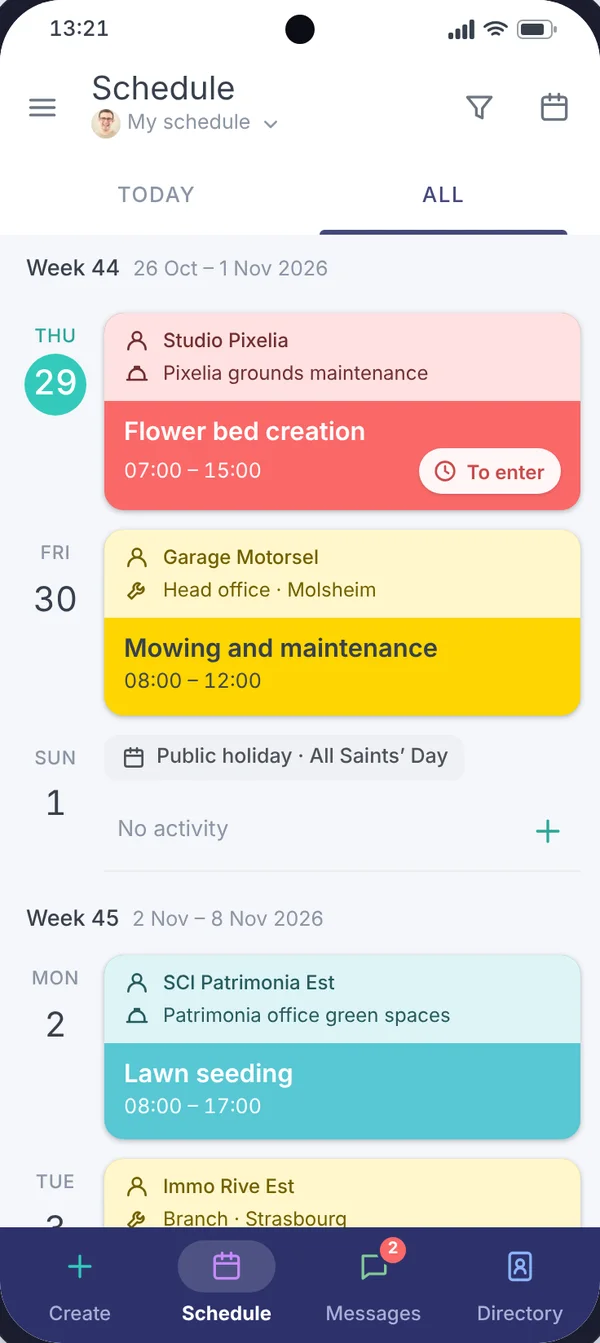
Between two maintenance sites or on a landscaping worksite, your teams need to know where to go, what work to do and have the right documents. Techtime links this information to the scheduled activities so that it stays accessible from the field.
Each activity shows the worksite concerned and the staff assigned. Add the details needed so that the team knows what is planned before arriving on site.
Attach the useful plans and documents directly to the activity. Provence Nature Services says that before Techtime, a team once planted in the wrong place because the plans had not been updated in time. The company says it now works from the same version of the information.
Specify the operations expected, the site’s particular features or the information passed on by the customer. Teams find this information with their schedule rather than relying solely on phone calls or verbal instructions.
Staff enter their time on the activities they are assigned to. Provence Nature Services cites time recording among its everyday uses of Techtime.
Information from the field lets the manager track the work and prepare the next steps. Provence Nature Services also uses Techtime every day for worksite tracking and says that every team member knows what they have to do.

“With Techtime, everything is in one place and accessible, and my teams know exactly what to do, when and where.” Pierre Moulin, Provence Nature Services
Organise landscaping worksites that keep your teams busy for several days as well as shorter, recurring maintenance missions. Each activity appears in the schedule with its date, site and the staff involved.
Discover our construction scheduling software.
Bad weather, a delayed worksite or an urgent call-out: change the relevant activities and adjust assignments while keeping a view of the rest of the schedule.
Provence Nature Services explains that it uses Techtime in particular to better manage the uncertainties linked to the weather and the seasonal nature of its business.
Address, contact, special instructions, plans and documents stay linked to the relevant activities. Your teams find the information they need before arriving on site and during their work.
Staff can enter their hours on the activities they are assigned to and send useful information from the field.
You get more precise tracking of the time spent on different worksites and maintenance jobs.
Discover construction attendance sheet management.
Planning does not stop in the field. It is vital to make sure everything is ready on time and to maximise your results.
So choose management software for landscapers designed for you and watch your business blossom!
Plan landscaping work, recurring maintenance and the teams assigned to each site.
Give teams access to instructions, plans, documents and useful information from their phone.
Centralise time recording, field feedback and the information needed to prepare the next stage of the work.
No commitment, and you gain your superpowers: 14 days to try Techtime with your teams.




Plan your worksite and mission activities, then set each one up in a click.
Book your live demo
