The colours and finishes to apply
Specify in the instructions the colour reference and finish planned for walls, ceilings or woodwork. Your painters find these details on their phone, without relying solely on a verbal instruction.
Prepare your painters’ days and send the schedule, instructions and equipment to plan for each worksite to their phone.
An address is not enough to prepare a painting day. Your teams also need to know which rooms to do, what work to carry out and what equipment to take. In Techtime, bring these details together with the customer’s instructions and the practical worksite information.
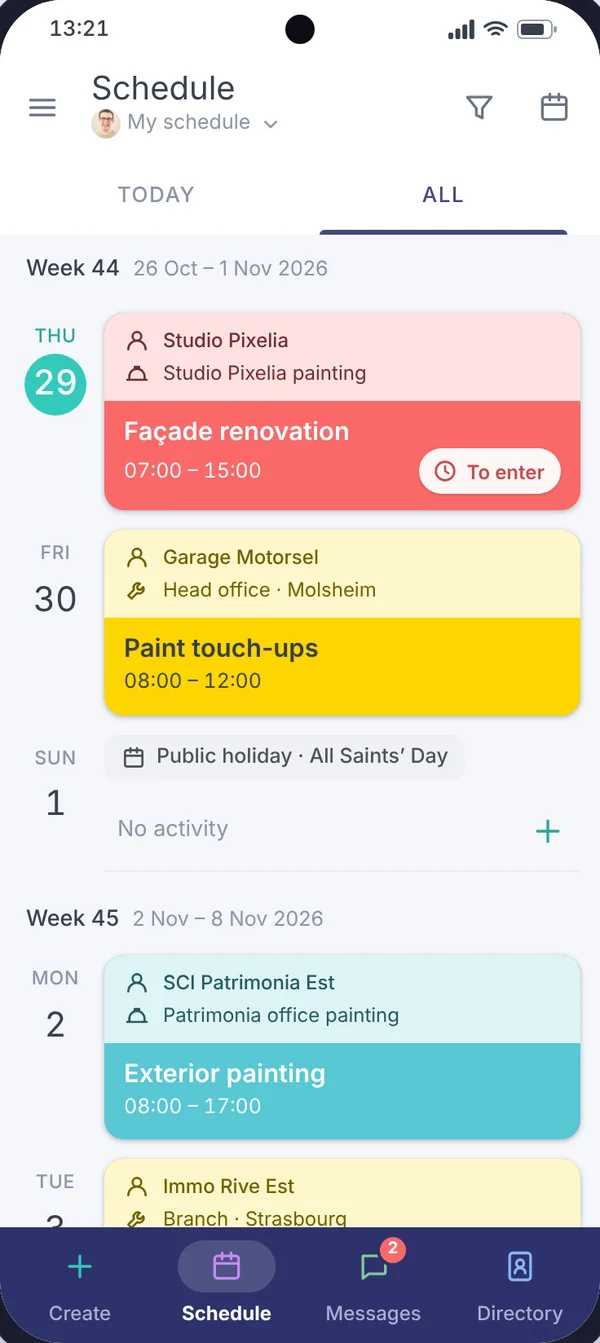
From the building’s door code to the vehicle to take, the information needed before setting off is available on the painters’ phones, rather than scattered across paper notes and verbal instructions.
From the office, prepare activities and assign your staff. In the field, each painter checks their schedule and the information needed to carry out the planned work.
For an apartment renovation, for example, distinguish surface preparation, painting and final touch-ups. In Techtime, create activities with the planned dates and assigned painters. Specify the rooms or floors concerned so that everyone knows what work is expected during their day.
You schedule your teams’ visits taking into account the worksite’s constraints and the technical drying times to respect. A room has not been cleared yet or another trade needs to finish its work? Adjust the relevant activities in the schedule while keeping an eye on your painters’ other worksites.
This organisation separates the overall duration of a renovation from the days when your teams actually need to be on site.
In its testimonial published in 2023, Toma Peinture explains that it prepares schedules in the afternoon so that workers know their assignment the day before. The planned work and instructions are sent to their phone before they leave for the worksite.
Find out how Toma Peinture prepares its teams’ days with Techtime.
On a renovation, a photo alone does not always explain what remains to be done. In Techtime, link your photos to activities and add comments to specify the work done or the areas to redo.
Specify in the instructions the colour reference and finish planned for walls, ceilings or woodwork. Your painters find these details on their phone, without relying solely on a verbal instruction.
Location plans, product data sheets or worksite instructions: documents added in Techtime can be viewed from the mobile app.
A touch-up is needed near a door frame? Add a photo to the activity with a comment specifying the room and location. The manager has a concrete reference to prepare the team’s return, even when another painter does the touch-up.
An instruction needs clarifying or a room is still inaccessible? Messaging lets you send your observations to the manager and discuss them from the worksite.
When preparation, painting and touch-ups are organised as separate activities, your painters can enter their hours for each one. You see the time reported for each stage, rather than a single total for the whole renovation.
When several trades follow one another in a home, your painters need to know about changes affecting their visit. Techtime lets you join a worksite shared with other companies while keeping your own account and managing your other worksites.
The main contractor or the architect can invite you to join the project. Depending on the rights granted, you view the information shared by partners and get details on the progress of other work to organise your painting activities.
State in your reports where the finishing work stands: ceilings finished upstairs, a wall to redo in a bedroom or a return visit planned after another trade’s work. Authorised partners find these details and the related photos to prepare the next stage of the work.
Discover worksite sharing between companies.

Before confirming a date to a customer, check the activities already planned and your teams’ assignments in Techtime. You can see where to fit in a new repaint, taking into account work in progress and visits still scheduled for finishing.
In its testimonial published in 2023, Toma Peinture explains that this visibility over the coming weeks and months helps it assess its capacity to take on new worksites or its need for extra staff.
The schedule becomes a basis for preparing your commitments to customers, beyond organising the next day.
Already using software to price your painting work and produce invoices? You can keep that tool while organising your teams, instructions and work tracking in Techtime.
A connection between the two programs can be considered depending on the information to exchange and their technical possibilities. Setting it up may require configuration or custom development: it is not automatic with every tool.
When your organisation needs a particular way of working, our team can also look into adapting Techtime.
Discover the options for adding custom features.
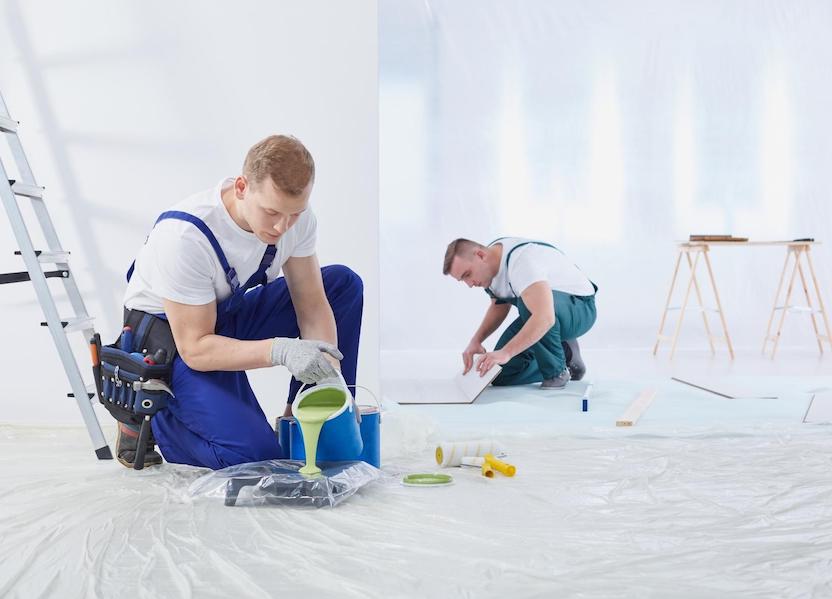
Before each worksite, enter in the activity the practical information the team will need: address, customer contact, instructions, equipment to take and planned vehicle.
Your painters find this information on their phone before setting off. At Toma Peinture, this approach has replaced some of the information previously passed on verbally or on paper.
You can prepare each day more precisely and avoid oversights that mean going back for equipment or calling the manager again.
Discover our construction scheduling software.
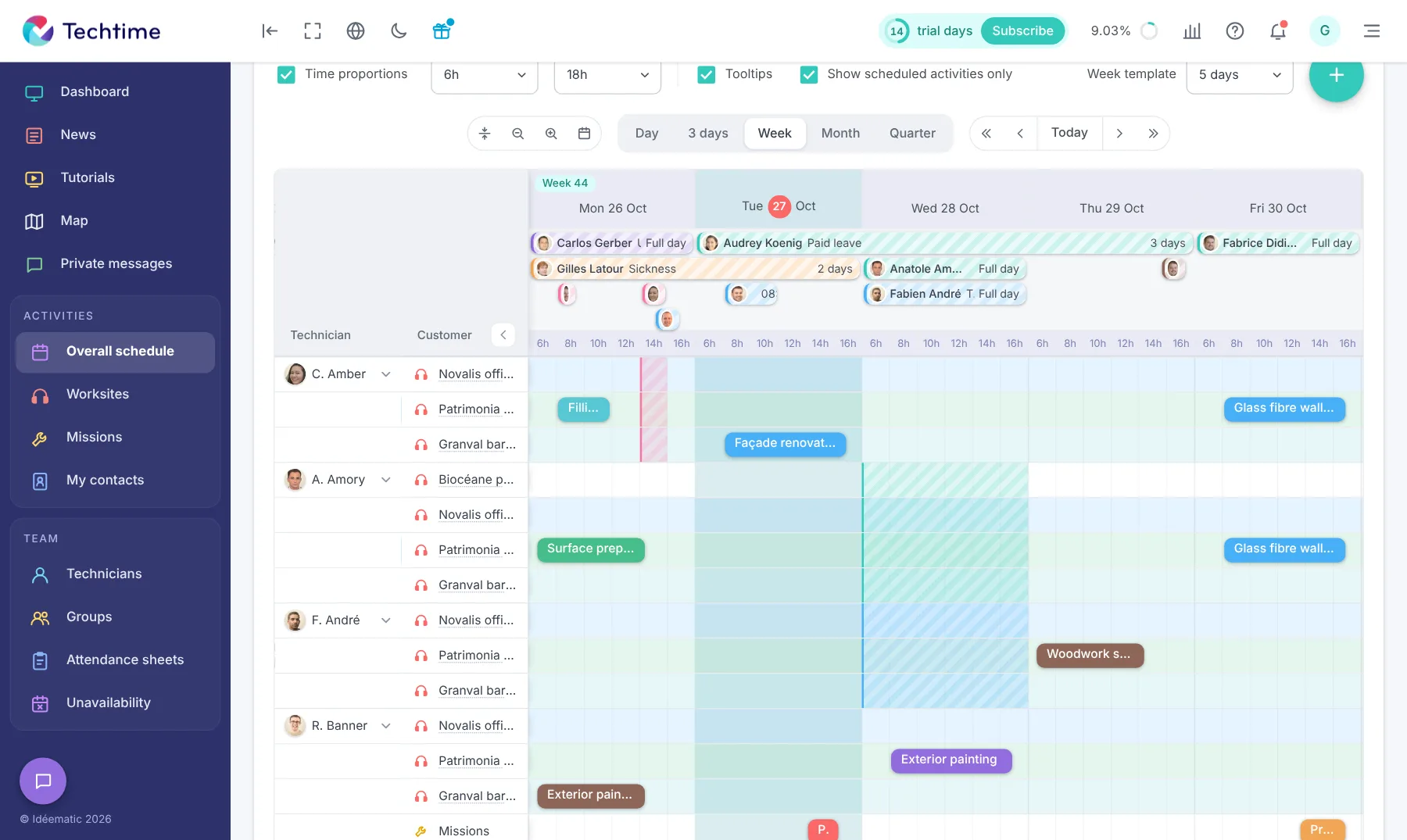
The schedule shows which painters are already assigned, to which worksites and for which periods. You can spot an overloaded day, an available team or a worksite that needs more people.
Toma Peinture explains that it uses Techtime to check whether a worker has enough work lined up and to anticipate their workload several weeks or months ahead.
This visibility helps adjust assignments when the schedule changes, without losing sight of the other worksites already planned.
Discover construction schedule management.
Interested in Techtime?
Managing several painting teams, overlapping worksites and finishing work to reschedule? Techtime helps you prepare the days, pass on instructions and keep track of the work still to be done.
During a Techtime demo, tell us about your organisation to see how the schedule, the mobile app and activity tracking can fit the way your painting company works.
Organise worksites, assign teams and pass on instructions before they set off.
Centralise the photos, comments and information each job needs.
See planned assignments to anticipate upcoming worksites and adjust your organisation.
No commitment, and you gain your superpowers: 14 days to try Techtime with your teams.




Plan your worksite and mission activities, then set each one up in a click.
Book your live demo
