1Entered in the fieldarrival, departure, breaks, travel
2Automatic synchronisationto the web app
3Checked and approvedby the office
4Planned / actualper worksite and per activity
Track worksite hours and your teams’ time spent
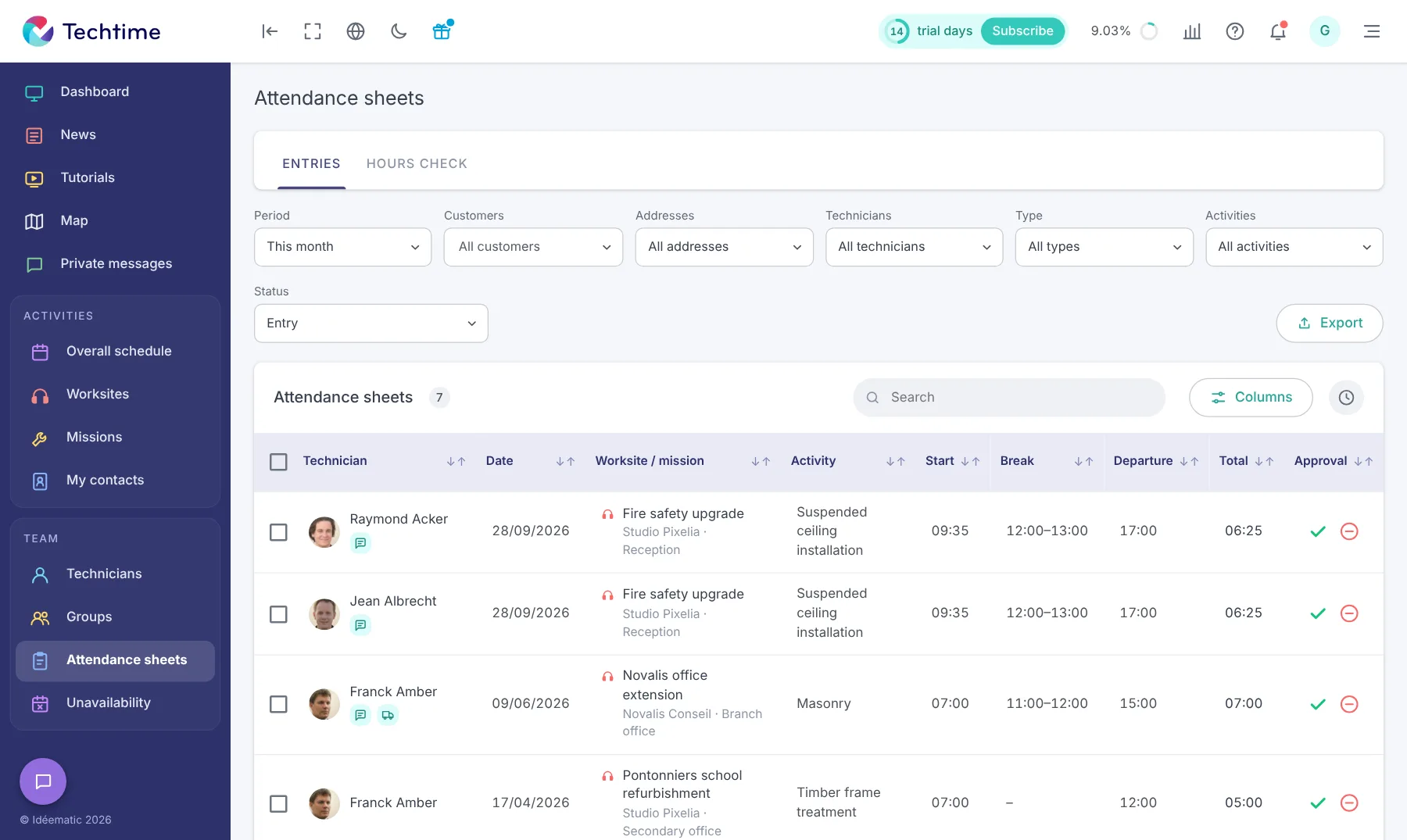
On a worksite, knowing the time each technician actually spent lets you compare scheduled hours with hours worked and better track your teams’ activity. Techtime centralises this information in construction attendance sheets linked directly to the relevant activities and worksites.
Attendance sheets filled in directly in the field
Technicians can enter their hours from the Techtime mobile app without waiting until they are back at the office. For each day or activity, they can record the information needed to track their working time:
arrival time;
departure time;
break time;
overtime;
travel time;
absence and reason.
Information entered in the field is automatically synchronised with the Techtime web app.
Attendance sheets let you find the time reported by staff and match it against the activities carried out.
You can track more precisely the number of hours spent on a worksite, a mission or a task, and get a clearer view of your teams’ time spent.
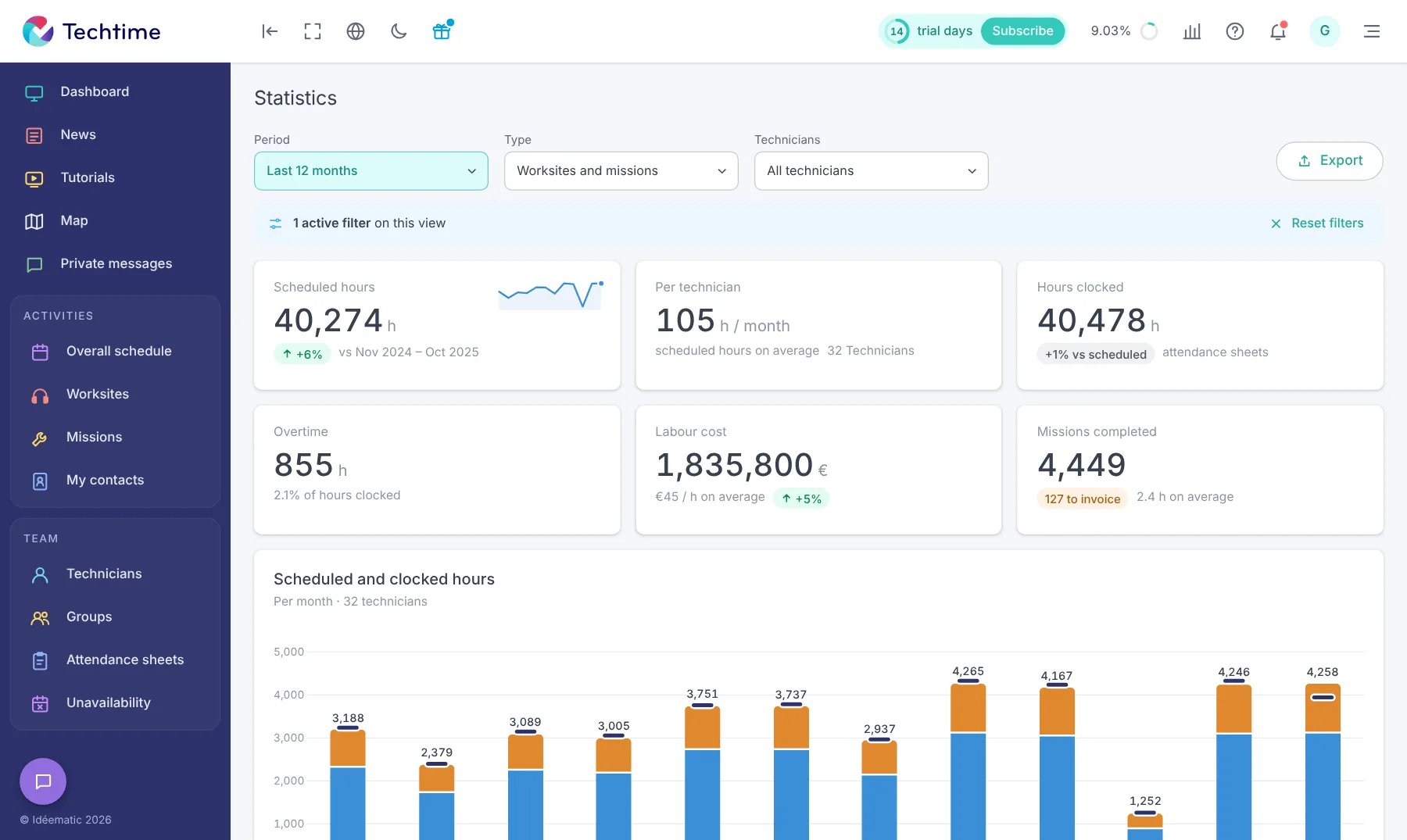
This tracking makes it easier to compare the time scheduled at planning with the time actually spent on the work.
Centralise worksite attendance sheet management
With paper sheets or files sent separately, collecting time can quickly become hard to manage: gathering documents, re-keying, checking information and consolidating hours.
Techtime groups attendance sheets in the same environment as your worksites and activities. The information entered by technicians is accessible from the web app, with no need for multiple tracking tools.
This keeps a history of the time recorded and makes it easier to find the hours linked to each worksite.
Useful data to run your business
Tracking hours is not just about knowing who was present. It also lets you analyse the time actually spent on different activities and better understand your teams’ workload.
By comparing scheduled and actual time, you have concrete information to adjust the organisation of future worksites and allocate your resources better.
With your consent, we use audience measurement cookies (Google Analytics) and marketing cookies (Brevo, notifications) to improve the site and our communications. They are only set if you accept them. You can change your mind at any time using the “Manage cookies” link at the bottom of the page.


 Watch the video



