

Construction scheduling software to organise your teams and worksites
For your worksite and mission activities
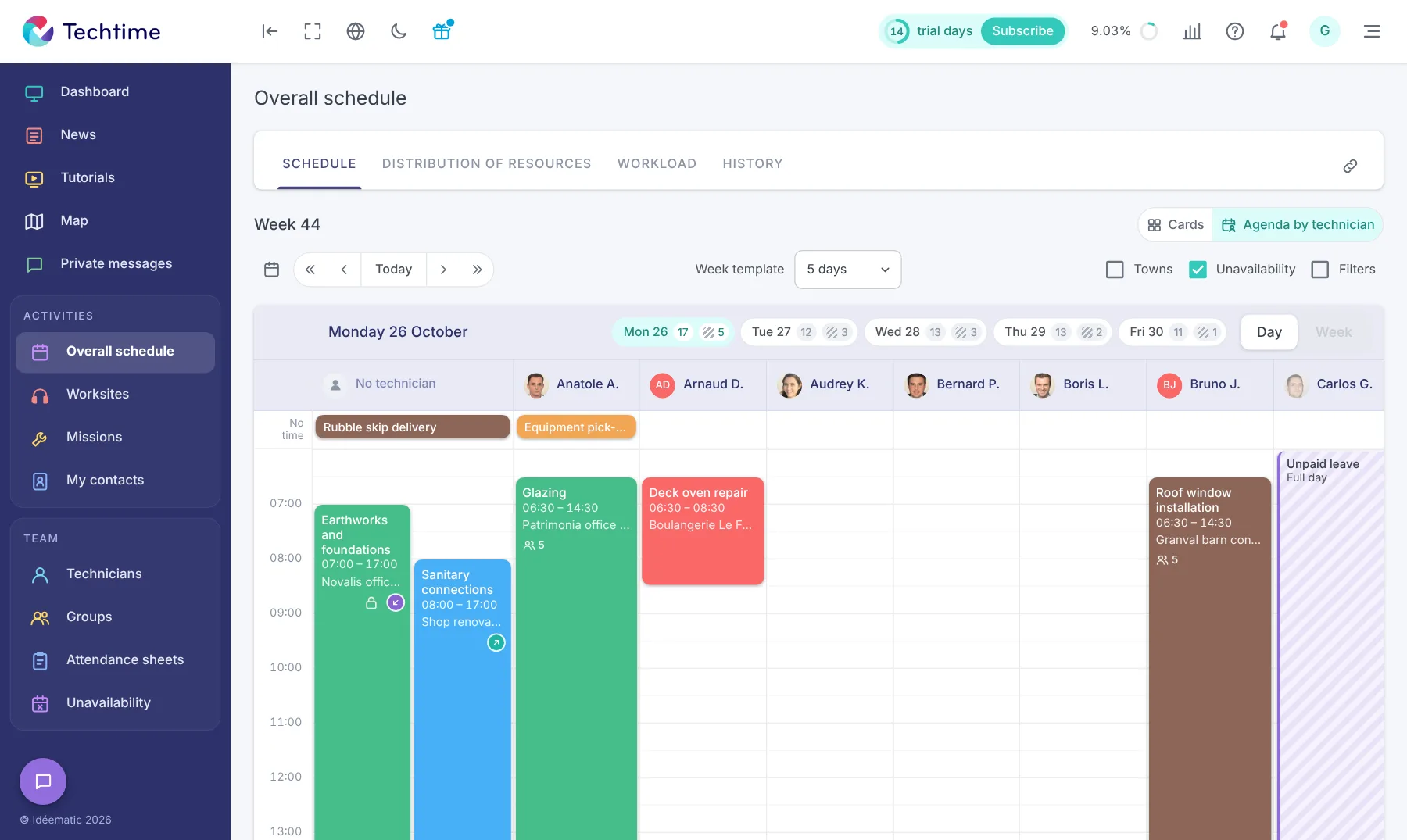

Schedule worksites, missions and teams in one tool
In construction, a schedule changes with the pace of worksites, missions and the unexpected. Techtime lets you schedule activities, assign staff according to their skills and availability, and quickly adjust your organisation when priorities change.
With Techtime, you have a centralised view of your teams’ schedule. You see the planned activities, the assigned staff and the mission periods, then adapt your organisation as the worksite requires.
- The activity to carry out: its title and a description of the tasks.
- The assigned staff: with each person’s role, for example works manager or technician.
- The times: start time, end time and time scheduled.
- Useful documents: the files and information needed to carry out the activity.
- Photos: to document the worksite or mission.
- Equipment and vehicle: the resources the team needs.
- Hours worked: from the attendance sheets filled in in Techtime.
The works manager can create and organise activities from the web app. In the field, technicians can also create their activities from the Techtime mobile app. The schedule stays accessible in the office and in the field, with the information each person needs.
Everything a Techtime activity contains
 Activityworksite or mission
Easily share the worksite schedule with your customers
Sharing a worksite schedule lets your customer follow the main planned stages and better anticipate how the work will unfold. This visibility also makes discussions easier when the timetable changes.
- Visibility: your customer can see the main planned stages and the worksite timetable.
- Anticipation: they know when the teams are due and can plan accordingly.
- Coordination: when the schedule changes, everyone involved has clearer information on the new deadlines.
- Communication: the shared schedule is a common basis for discussing how the worksite is organised.
Techtime lets you share a worksite schedule with a customer or an architect. The planned deadlines stay accessible to the people concerned, without endless back-and-forth to find out how the worksite is organised.
Your customers follow the worksite stages
- 1You plan the worksite
- 2You share the schedulewith a customer or an architect
- 3They check the deadlines
- 4The schedule changeseveryone is informed
Sign up in under 47 seconds
No commitment, and you gain your superpowers: 14 days to try Techtime with your teams.


