Your tradespeople carry out activities more efficiently
With Techtime mobile, every tradesperson has the answers to these questions:
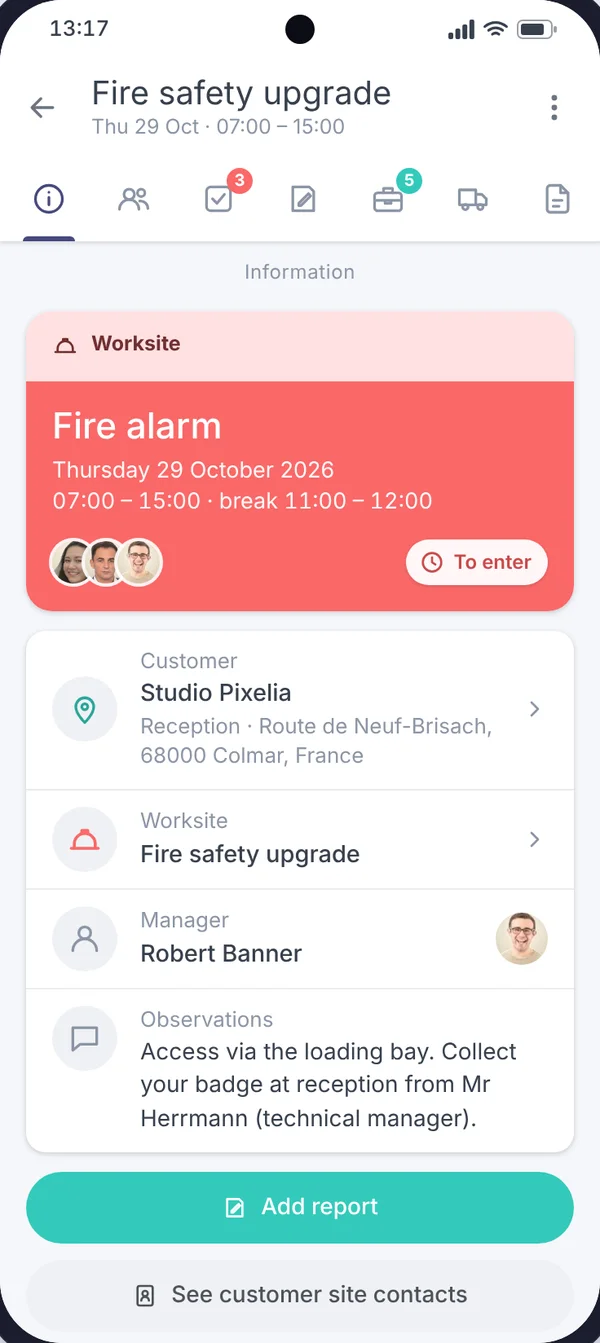
What: the worksite and mission tasks they need to carry out
Where: the location of activities and customers
For whom: they automatically receive the customer contact details
When: when they need to be at the customer’s premises
With whom: they know who is on their team and each person’s role (works manager, tradesperson…)
How: they have all the information they need to work accurately and to a high standard. They can view plans and take photos of their work. Managers and technicians can communicate remotely and live through instant messaging.
Contact details, location and directions for worksites and missions. In one click, each technician gets all the information they need to get to the customer’s site.
Worksites
The technician receives the worksite information (documents, photos, contacts, equipment…). They can also report worksite activities.
Missions
Mission activities are listed for each technician. They can also enter their own missions, describing what they did, for whom and how.
Schedules
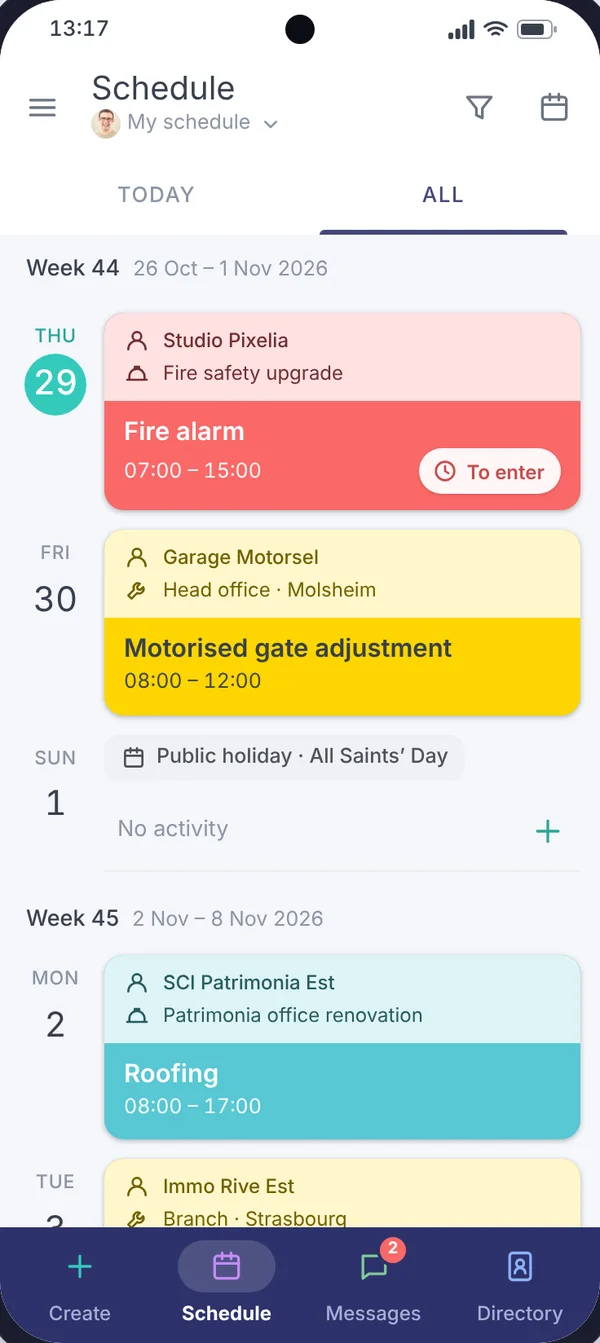
Their schedule is synchronised in real time. Push notifications alert them to new activities they are assigned to and to any changes to them.
Attendance sheets
For each activity, the technician can fill in an attendance sheet (arrival time, lunch break, departure time). Attendance sheets are stored and sent to the manager in real time for approval!
Chat
Messaging provides instant chat so that technicians on site and managers back at the office can share important information (alerts, instructions, observations…).
Photos
A technician can take worksite photos and link them to activities. Each photo is time-stamped and commented.
Vehicles
Teams are told which vehicles to take to the customer’s premises. A catalogue makes it easy to manage your fleet.
Equipment
Everyone knows the list of equipment to take with them to mission and worksite locations.
Technicians
The technician has access to their Techtime profile. They share their own documents with their manager (copies of administrative documents, contact details…)
Groups
For each activity, everyone knows who is on the team and what each person’s role is (tradespeople, works manager…).
Document management
So that trade activities are carried out properly, technicians automatically receive all the important documents in their mobile app.
With your consent, we use audience measurement cookies (Google Analytics) and marketing cookies (Brevo, notifications) to improve the site and our communications. They are only set if you accept them. You can change your mind at any time using the “Manage cookies” link at the bottom of the page.


 Techtime mobile