All your worksite information together in Techtime
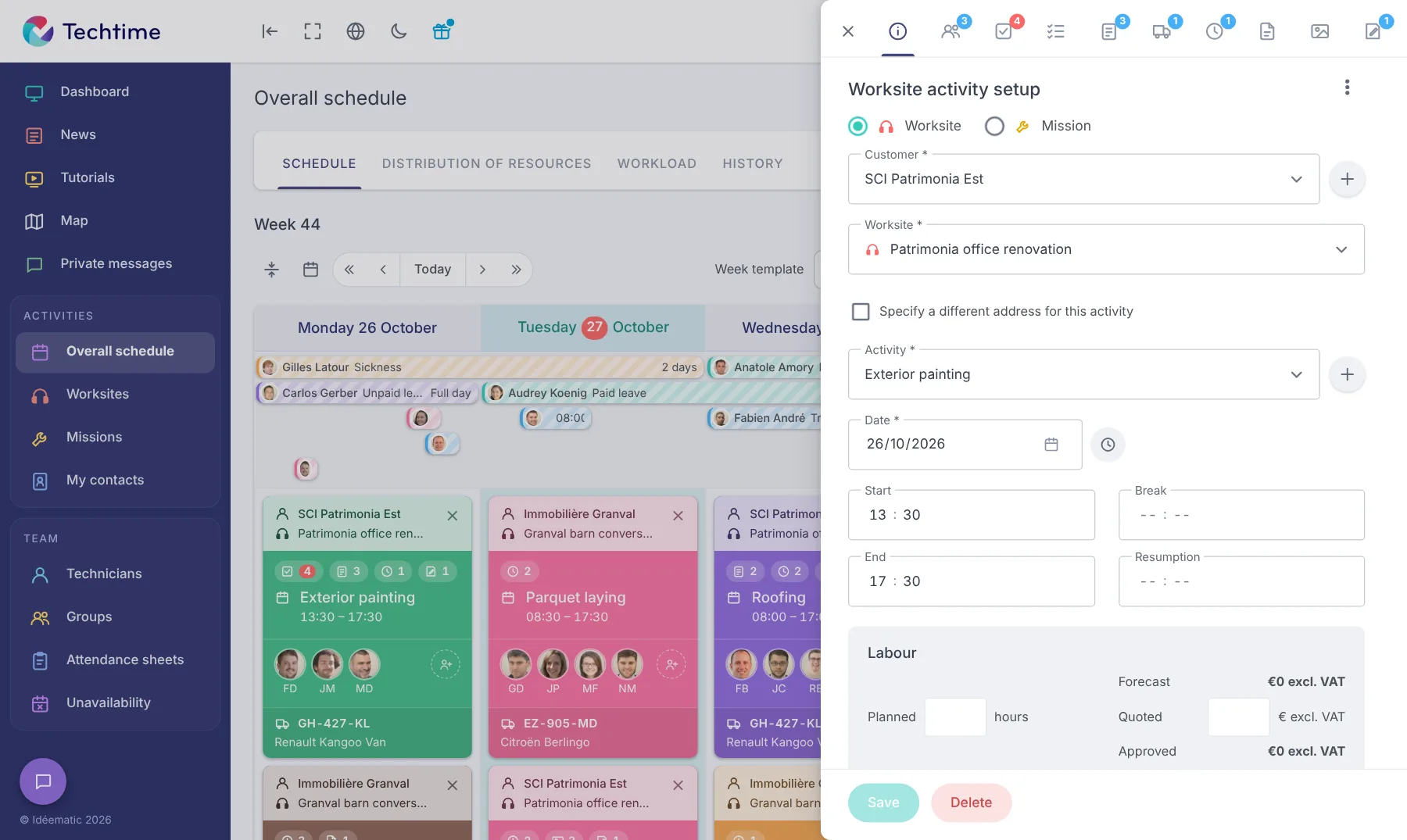
Schedule, teams, hours, documents and photos: every piece of information is linked to the relevant activity.
Techtimeweb and mobile
Schedule
Worksites
Missions
Attendance sheets
Photos
Documents
Messages
Map
Vehicles
Equipment
Centralise the tracking of your worksites on the web and on mobile
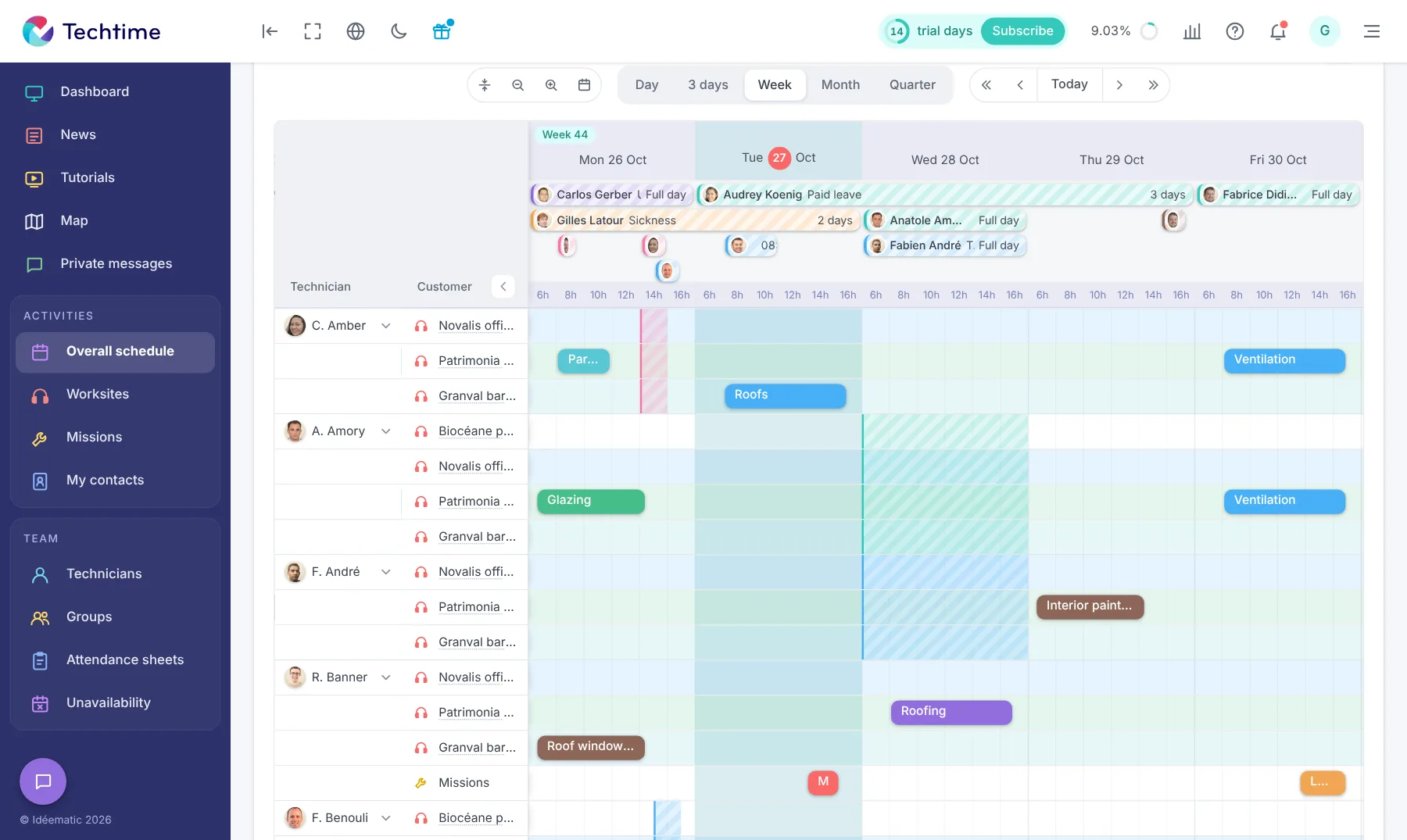
Activity planning
app.techtime.fr/planning
Resource allocation
app.techtime.fr/planning/repartition
A construction app designed for field tracking
From the web and the mobile app, Techtime connects the office and the field so you can organise your teams and track the information that matters on each worksite:
Assign the right teams to worksites and planned activities.
Take your staff’s unavailability into account when planning.
Receive information from the field via the mobile app, with the messages and photos sent by your technicians.
Track what has been done and what remains to be done to keep a clear view of activity.
Centralise useful information so that it stays accessible in the office and in the field.
Link the necessary equipment to activities so teams know what to take with them.
Manage your vehicles and their assignment to the various activities.
See your worksites, activities, technicians and contacts on a map. From the office or in the field, you can quickly find the places that matter and plan your teams’ journeys more easily. Find out more.
Worksite tracking
Centralise the information for each worksite, assign teams, attach the relevant documents and enter the scheduled times. With Techtime, both the office and the field teams have the information they need to track the worksite. Find out more.
Field mission tracking
Schedule missions at your customers’ premises, assign the technicians involved and centralise the information they need to carry them out. Field teams find everything they need in Techtime before and during each mission. Find out more.
Team and worksite schedule
See worksites, missions and the teams involved in a single schedule. Adjust assignments and times as priorities change, while keeping an overview of all activity. Find out more.
Hours entered from the field
Technicians enter their hours directly in the Techtime mobile app. The times are sent to the web app, where the office centralises, checks and approves them. Find out more.
Communication between office and field
Teams can communicate directly in Techtime, on the web and on mobile. Messages, information and photos stay in one place, making it easier to track worksites and missions. Find out more.
Worksite reports
Follow the activity on your worksites in a timeline. Information sent from the field gives you a history of the work carried out and lets you compare time spent with time scheduled. Find out more.
Worksite photos from the field
Technicians can send their photos straight from the field. They are centralised in Techtime with the worksite information, so the office can follow the work visually. Find out more.
Resource allocation
See which staff are deployed on your worksites and missions. Techtime helps you identify available teams and adjust assignments to meet needs in the field. Find out more.
Vehicle management
Link the necessary vehicles to worksites and missions. Teams know which vehicle to use, and you keep a clear view of vehicle assignments in the schedule. Find out more.
Equipment needed on the worksite
Link the equipment needed to each worksite or mission. Technicians can see in Techtime exactly what they need to bring before setting off. Find out more.
Useful information for technicians
Each technician finds in Techtime the information about their worksites and missions: times, addresses, instructions, documents and everything needed to carry out the work. Find out more.
Team organisation
Group your staff to match your organisation: trades, teams or business sectors. You can then find them more easily when planning and assigning them to worksites. Find out more.
Team availability
Record holidays, sick leave, training and other absences. When planning, you can quickly see which staff are available for each worksite or mission. Find out more.
Worksite documents available in the field
Centralise in Techtime the documents related to your worksites, missions, customers, teams and vehicles. Useful information stays accessible from the web and from the mobile app. Find out more.
With your consent, we use audience measurement cookies (Google Analytics) and marketing cookies (Brevo, notifications) to improve the site and our communications. They are only set if you accept them. You can change your mind at any time using the “Manage cookies” link at the bottom of the page.



 Techtime