Locate your activities
See all your activities, technicians and contacts on a map. You optimise travel.
For 14 days, try Techtime in your day-to-day work

Create your account, enter your company details and start organising your first missions in Techtime.
Schedule your missions, assign your teams and see your activity at a glance to evaluate Techtime with your own organisation.
For 14 days, test the schedule, mission tracking and the flow of information between the office and the field.
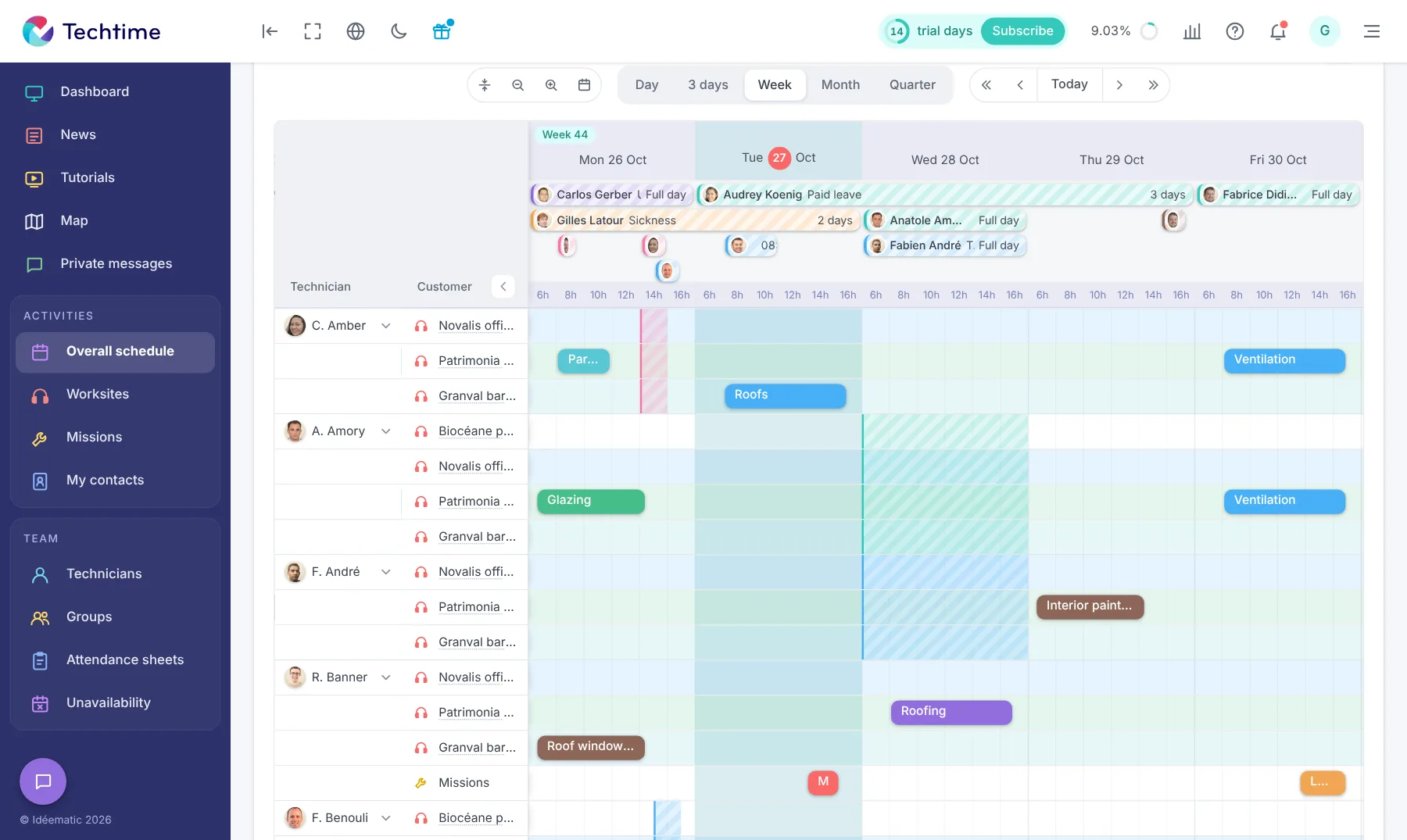
From Techtime web and mobile, prepare your missions, assign the right resources and centralise all the useful information in the office and in the field. For a broader view of how you run your business, discover our construction worksite management software.
Teams can also message each other in Techtime to share information from the field.
See all your activities, technicians and contacts on a map. You optimise travel.
Overall scheduling of all activities. See at a glance who is doing what, for whom, when and how.
See how your teams are allocated across worksites and missions. You quickly identify the resources in use and can adjust assignments as needed.
Record your teams’ unavailability, such as holidays, sick leave or training. When scheduling, you quickly see which staff are available for each mission.
Each technician enters their hours directly in Techtime. You centralise and approve attendance sheets, then export the time spent to prepare payroll.
Chat in real time with your teams directly in Techtime, on the web and on mobile. Technicians can share useful information from the field, and the office stays informed of how missions are progressing.
I use Techtime because it saves me a lot of time and gives me peace of mind when organising and tracking my worksites. The technicians keep me informed of their progress in real time, and all the documents and photos from each mission are centralised. In the end, we have improved our productivity and can take on more customers. The Techtime team pays close attention to the needs of our trade and their app keeps getting better.
As a business manager, I need to know who is doing what, for whom and when. I need to be able to organise my activity schedules very easily with practical mission management software. Techtime meets my criteria, so I use it every day with my teams.



Plan your worksite and mission activities, then set each one up in a click.
Book your live demo
