Vehicle management: the right van for the right worksite
Link your vehicles to worksites and missions, trace their journeys on a map and track their maintenance. Your teams know which vehicle to take before setting off.
A badly assigned vehicle means a team waiting, equipment that does not fit or two technicians counting on the same van. Techtime builds your vehicles into the schedule to avoid these situations.
Each activity can be given a vehicle. If that vehicle is already in use the same day on another activity, Techtime tells you when you assign it.
One record per vehicle
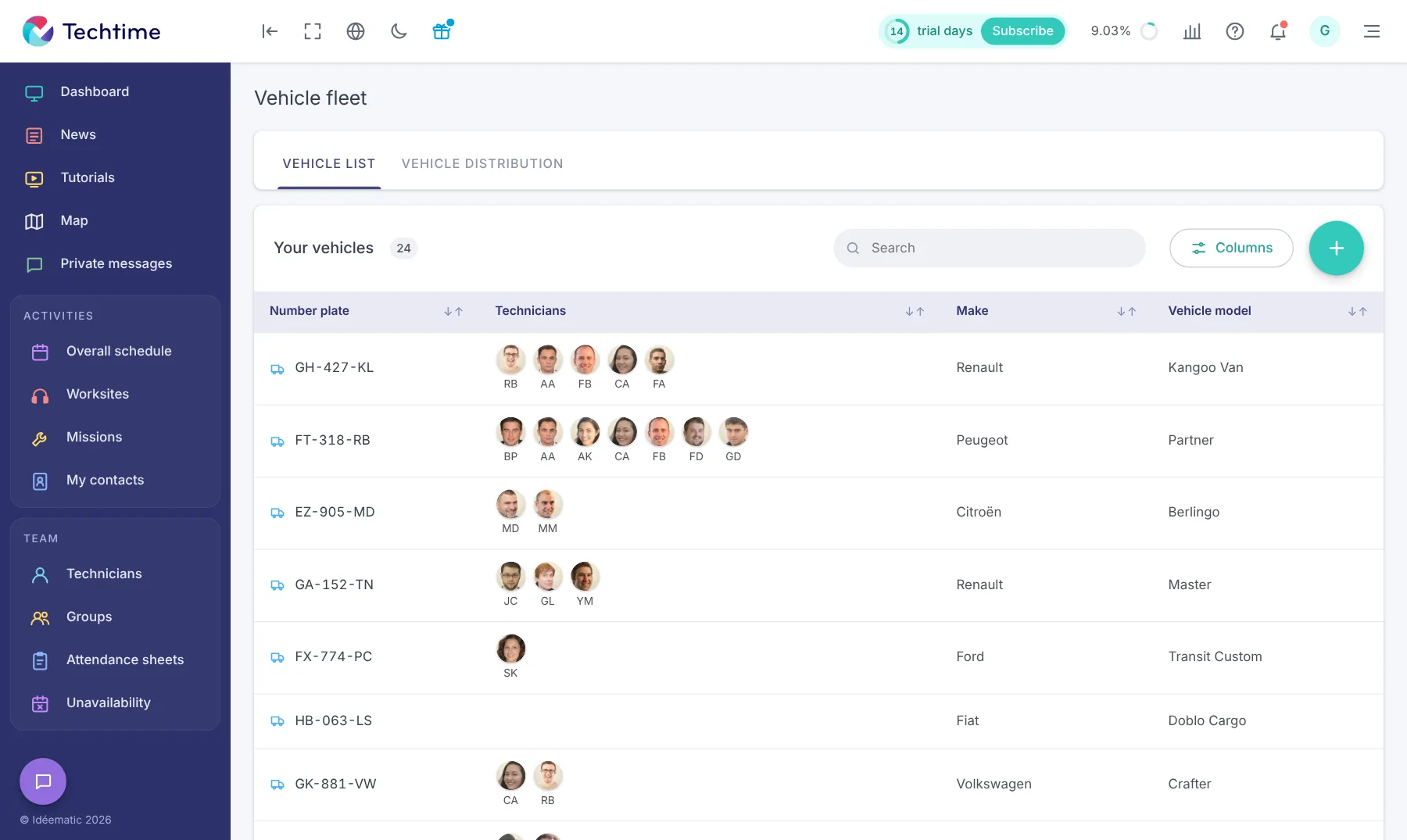
The vehicle fleet groups all the company’s vehicles. For each one, you enter:
the registration number;
the make and model;
the technicians linked to the vehicle;
the maintenance tasks to plan: MOT, oil change, insurance… with their history;
the history of its journeys, traced on a map;
related documents, such as the registration certificate or insurance certificate.
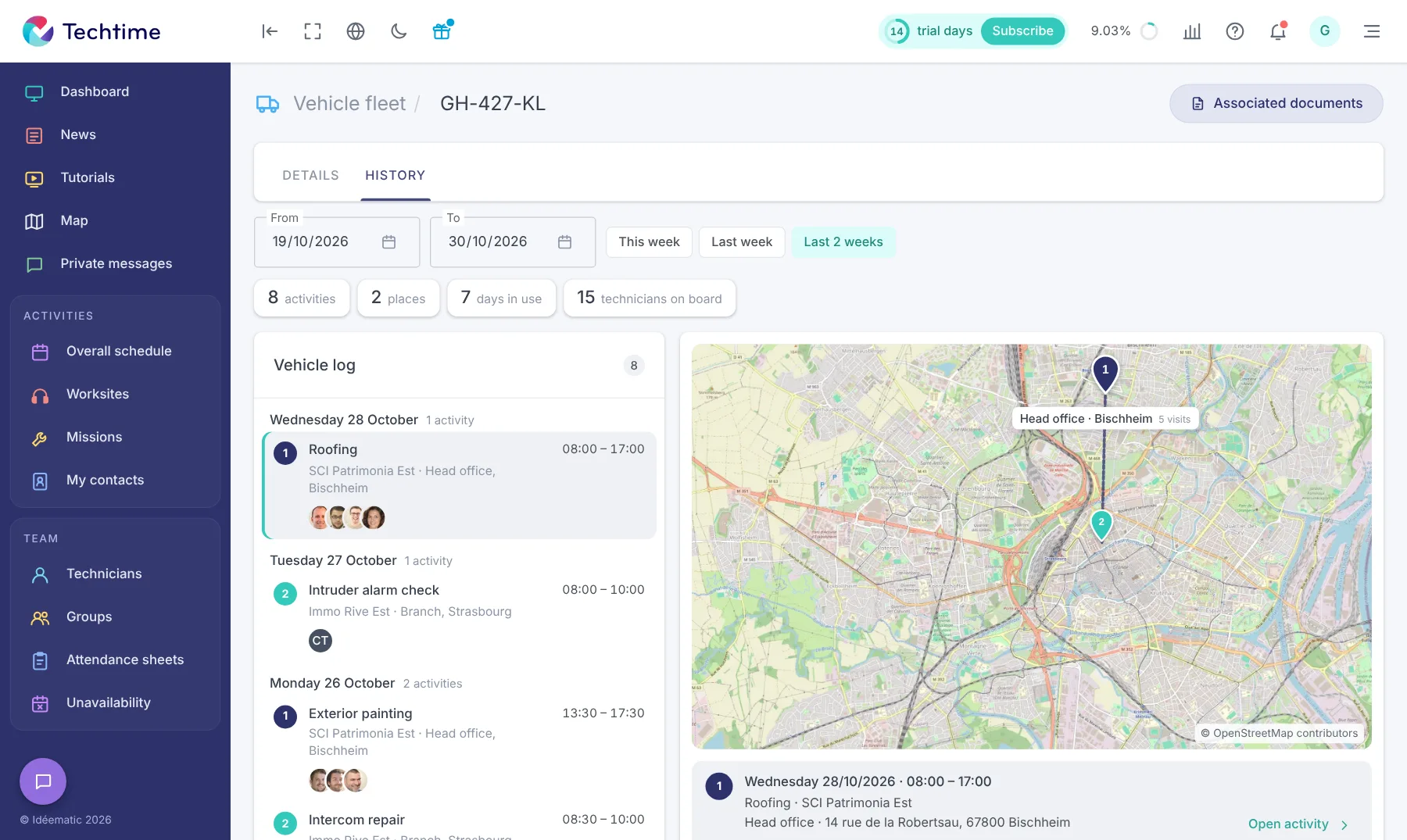
A vehicle’s “History” tab traces its use over the chosen period (this week, last week, the last two weeks or specific dates): the log lists the activities day by day, with the customer, location, times and team on board, and the map numbers the places served in the order visited. Four indicators summarise the period: activities, locations, days of use and technicians on board.
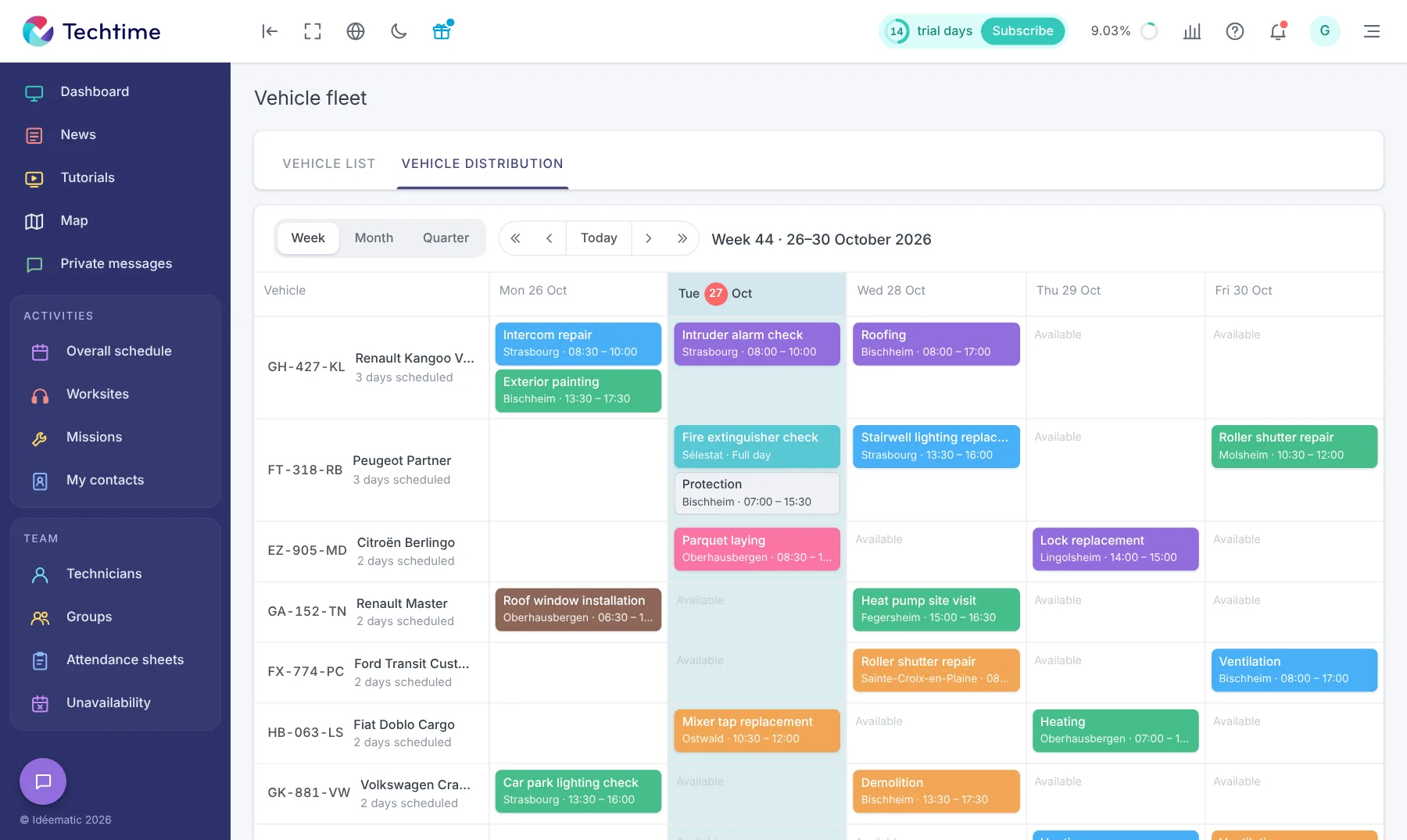
The “Vehicle allocation” tab shows, for each vehicle, the activities scheduled in the week, month or quarter.
Days when the vehicle is free are clearly visible: you assign it with no risk of double booking.
A conflict flagged on assignment
Only one vehicle can be linked to an activity. If it is already in use the same day on another activity, a message tells you, with the activity and times concerned.
You then choose another vehicle in one click.
The information on the technician’s phone
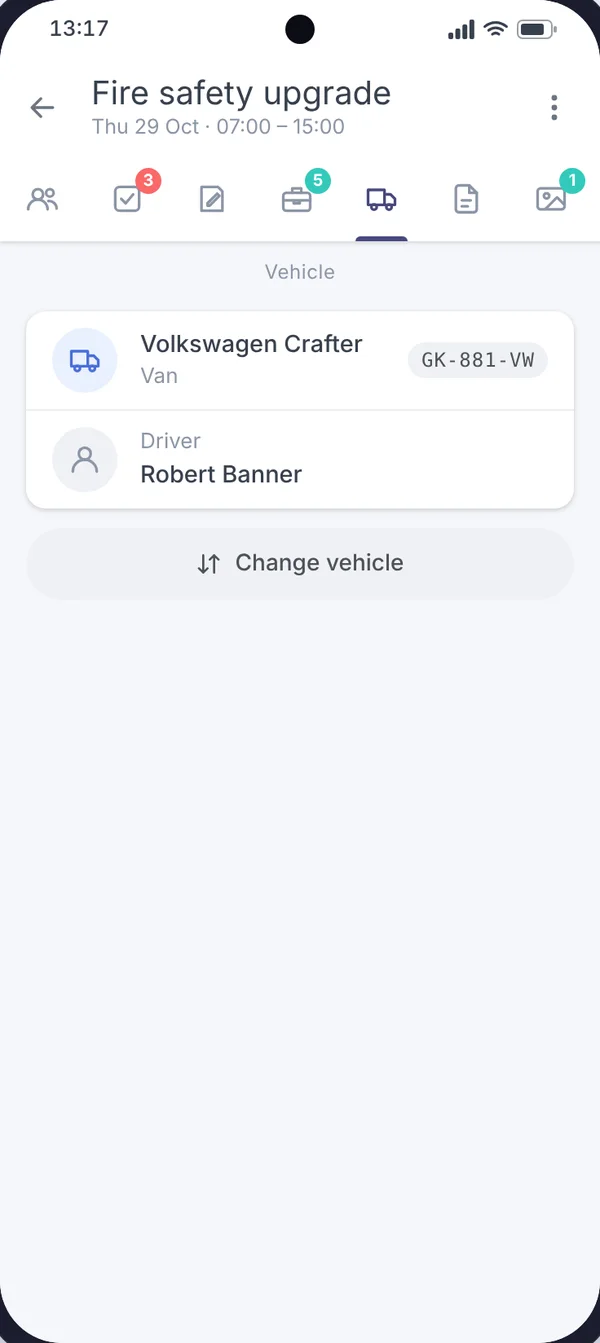
In the mobile app, the activity’s “Vehicle” tab shows the vehicle to use and its driver.
The technician knows what to take before setting off, without calling the office. Discover the mobile app for tradespeople.
With your consent, we use audience measurement cookies (Google Analytics) and marketing cookies (Brevo, notifications) to improve the site and our communications. They are only set if you accept them. You can change your mind at any time using the “Manage cookies” link at the bottom of the page.