All the worksite information in your technicians’ pockets
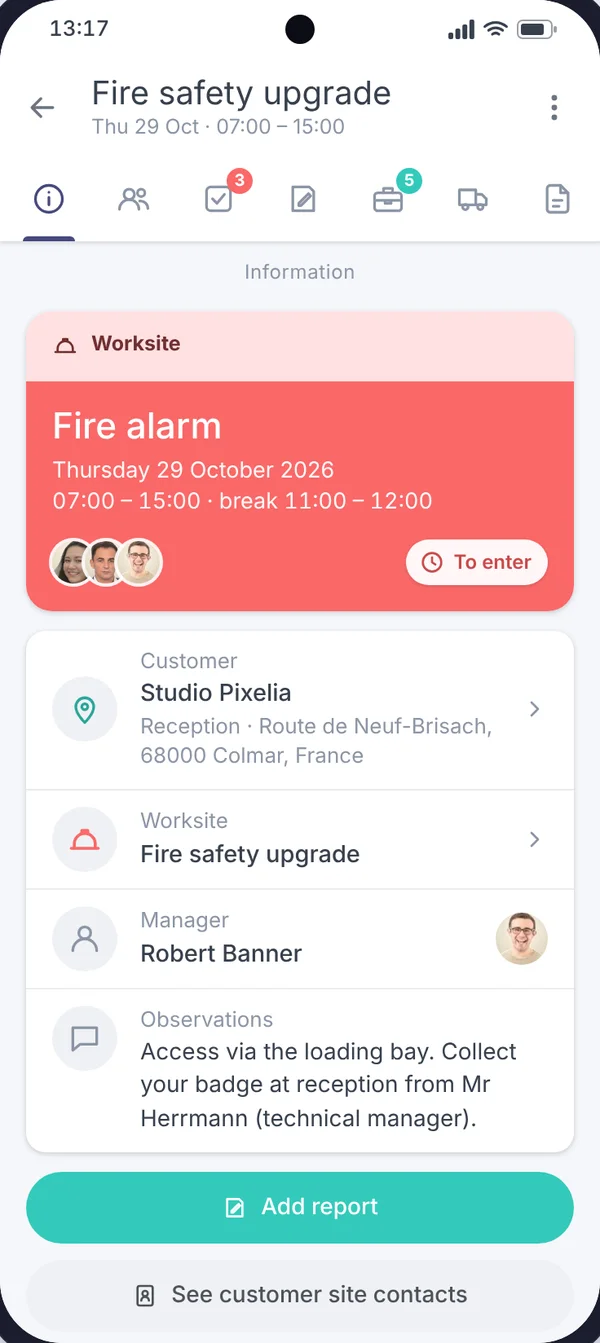
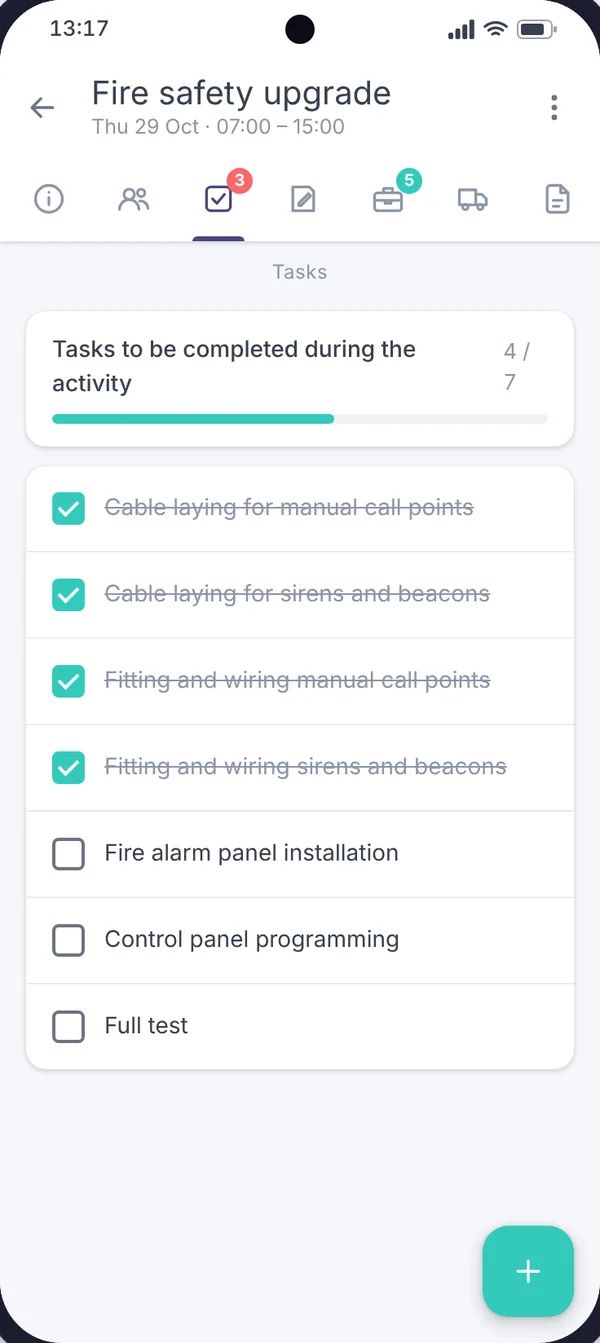
Times, address, instructions, team, tasks, equipment, vehicle and documents: each technician finds on their phone what they need to carry out their work.
Your technicians set off with the right information
“What’s the address?”, “Who has the keys?”, “What exactly are we installing?”: without a shared tool, these questions get settled by phone, often at the wrong moment. With Techtime, the answer is already in the mobile app.
Each scheduled activity brings together on a single record all the information needed to carry it out. The technician checks it before setting off and on site, without having to call the office.
What the technician finds for each activity
In the mobile app, an activity record is organised in tabs:
The “Observations” field passes on instructions specific to the activity: access via the loading bay, badge to collect at reception, who to ask for on site…
The technician reads them before arriving, rather than finding out in the car park.
The address in one click
From the mobile app, a single tap on the address opens Google Maps or Apple Maps to work out the route to the customer.
Your activity locations can also be seen on the Techtime map.
Documents always up to date
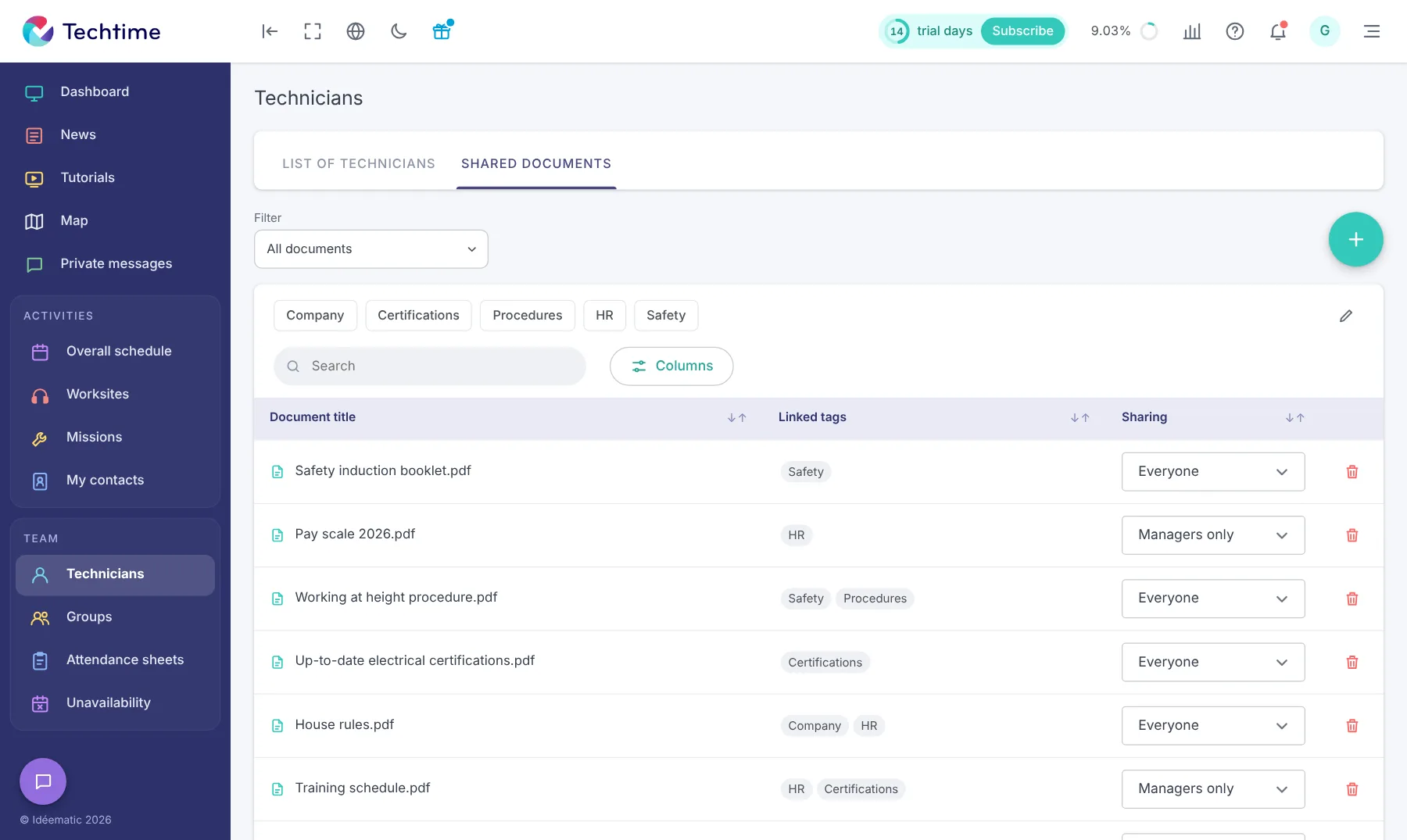
Safety induction booklet, procedures, certifications, attestations: documents shared with technicians are sorted by topic and accessible from the phone.
For each document, you choose whether it is visible to everyone or to managers only. Find out more about electronic document management.
With your consent, we use audience measurement cookies (Google Analytics) and marketing cookies (Brevo, notifications) to improve the site and our communications. They are only set if you accept them. You can change your mind at any time using the “Manage cookies” link at the bottom of the page.