Scheduling a technician who is on holiday means discovering the problem that very morning, just as the customer is waiting. In Techtime, your teams’ absences are recorded in the same place as your worksites.
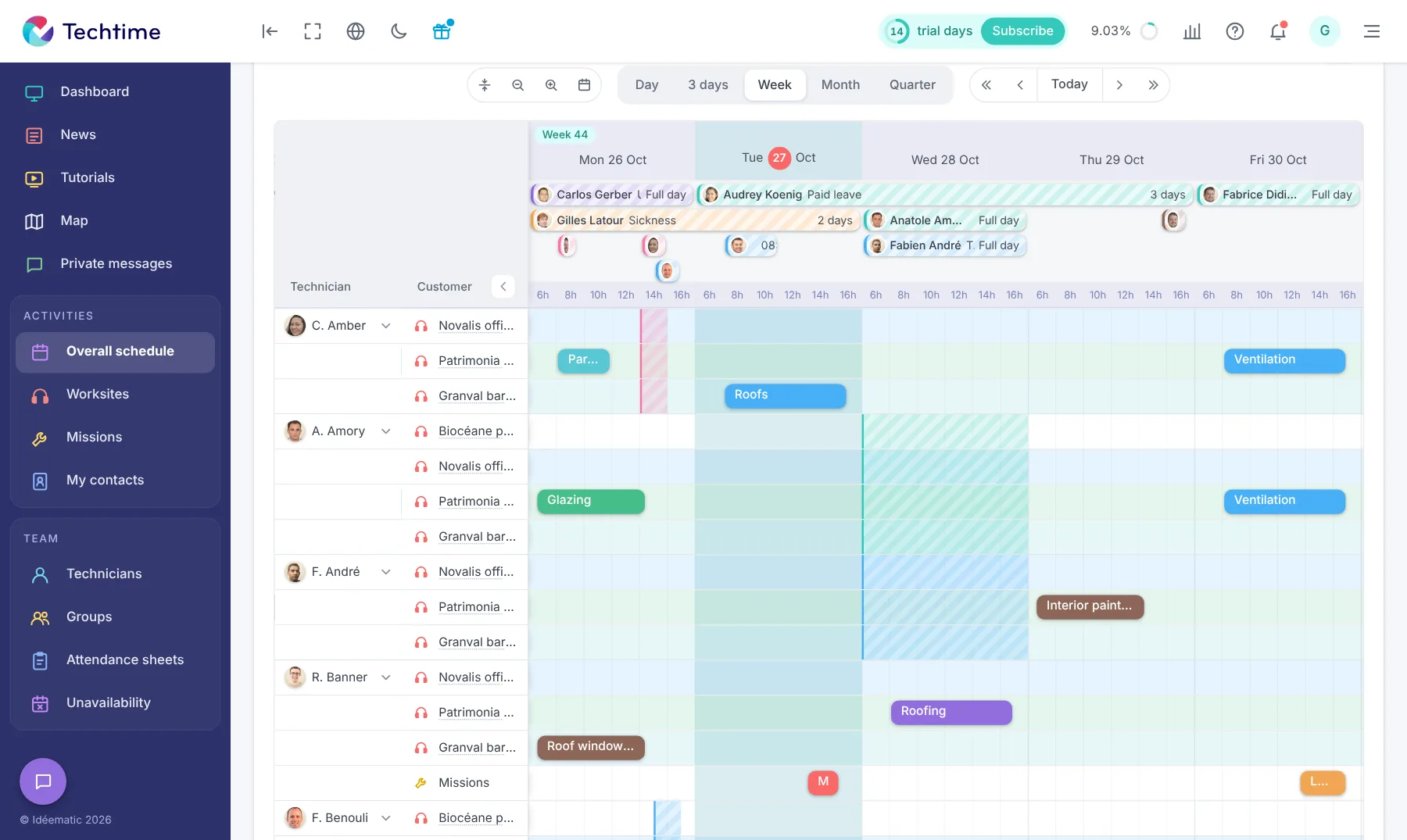
They appear directly in the schedule: you assign your activities knowing who is present.
All absences in one place
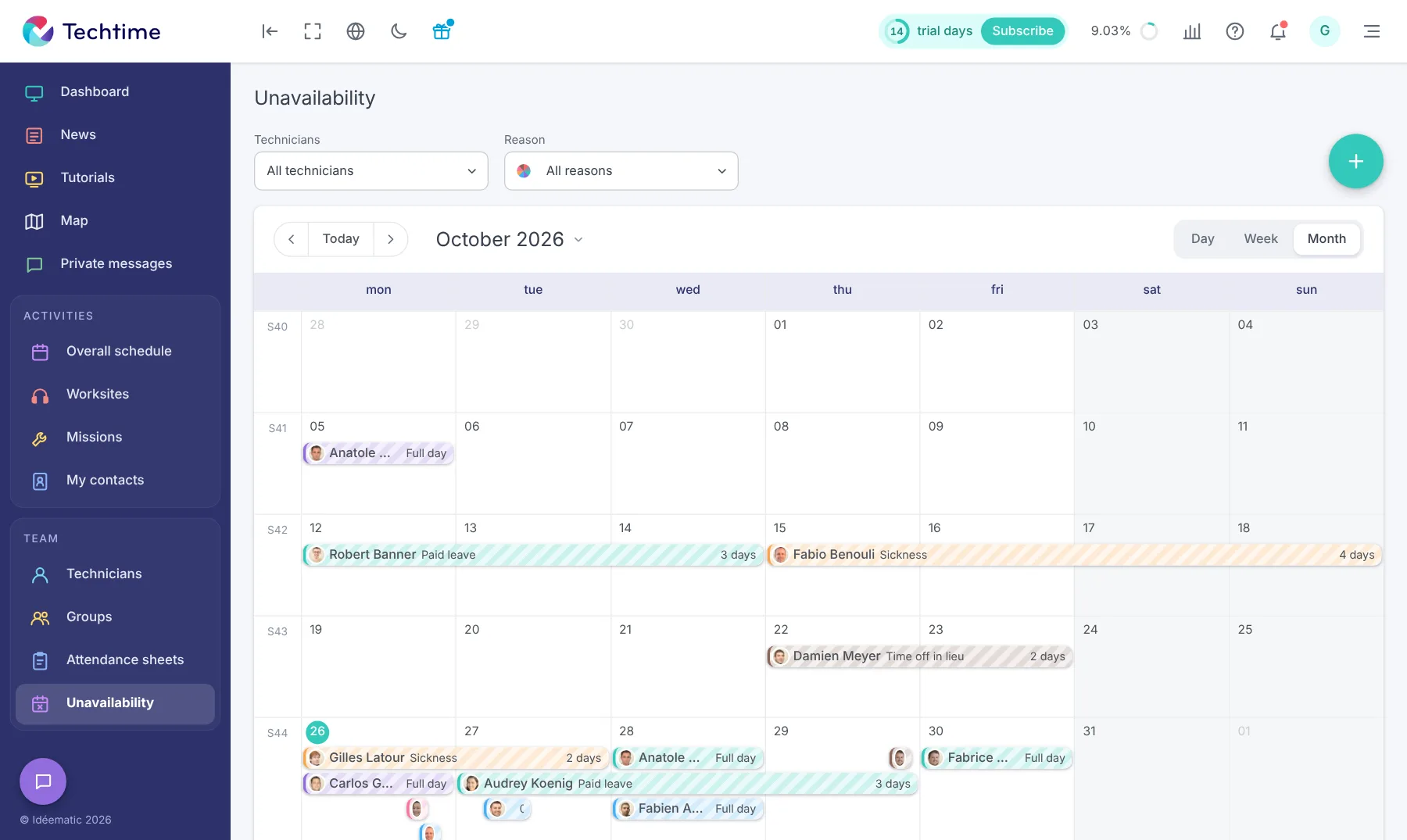
The “Absences” module records each technician’s absences:
paid holidays;
sick leave;
training;
time off in lieu and other reasons;
for one day or several days.
A calendar by day, week or month shows them all, with filters by technician and by reason.
The “Absences” module shows all absences in a calendar by day, week or month: paid holidays, sickness, training, time off in lieu…
Filters by technician and by reason let you check in seconds who will be away during the period you are interested in.
app.techtime.fr/planning/charge
Attendance and workload, week by week
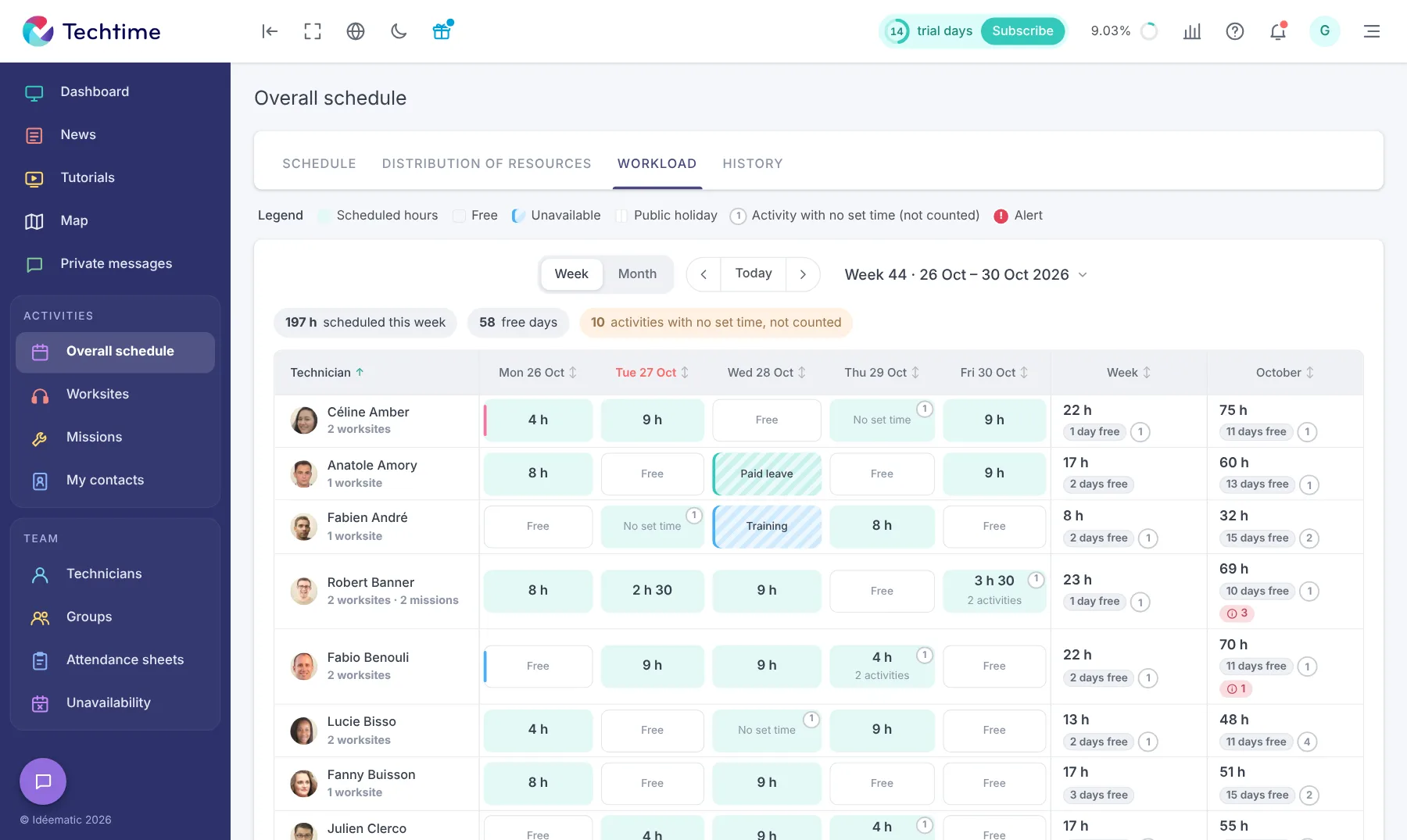
The “Workload” view distinguishes for each day the hours scheduled, free days, public holidays and absences (paid holidays, training…).
The weekly and monthly totals show each technician’s workload and the days they still have free.
app.techtime.fr/planning
The agenda per technician, absences included
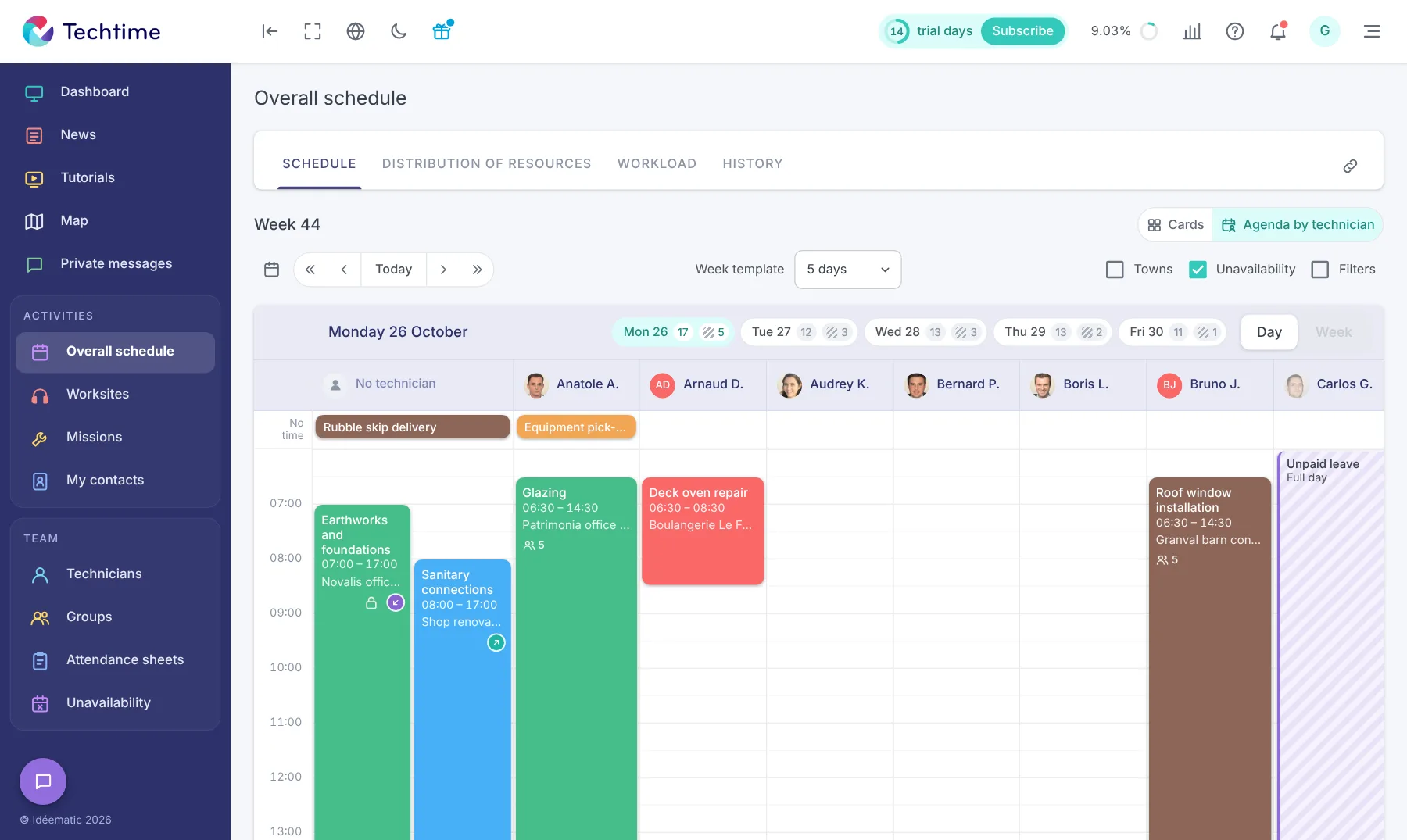
In “Agenda per technician” mode, the overall schedule shows one column per member of staff, hour by hour. Absences appear directly, such as a full day of unpaid leave.
For each day of the week, a counter shows the number of activities and absences: you see the busy days at a glance before adding a mission. This information complements the attendance sheets for an organisation that matches reality.
Free trial
Sign up in under 47 seconds
No commitment, and you gain your superpowers: 14 days to try Techtime with your teams.
With your consent, we use audience measurement cookies (Google Analytics) and marketing cookies (Brevo, notifications) to improve the site and our communications. They are only set if you accept them. You can change your mind at any time using the “Manage cookies” link at the bottom of the page.