Equipment needed on the worksite

Worksite equipment: what to plan, activity by activity

Build your equipment catalogue and link to each worksite or mission what is needed to carry it out. Your technicians set off with everything they need.

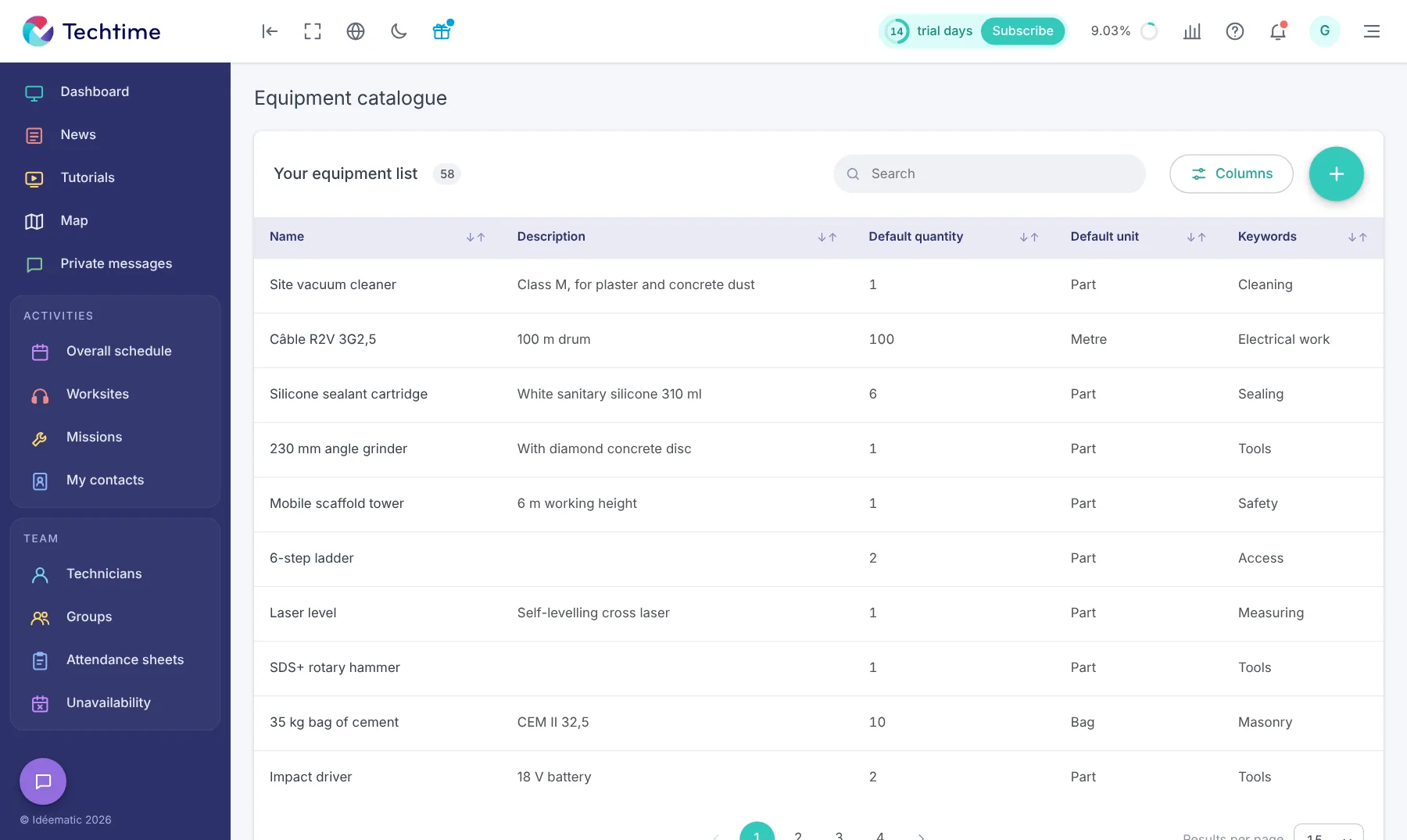
app.techtime.fr/catalogue-materiel
Equipment catalogue in Techtime: description, default quantity and unit, keywords
How it works

From catalogue to van

  1. 1Equipment cataloguedefault quantities and units
  2. 2Activity cataloguethe usual equipment for each type of work
  3. 3Scheduled activityquantities adjusted if needed
  4. 4On the phonethe list to prepare

Link the equipment needed to each activity

A forgotten scaffold, a hammer drill left at the depot, one silicone cartridge short: trips back to the depot cost time and money. With Techtime, the equipment list is part of the activity, just like the address or the team.

You prepare it once and for all in the catalogue, then adjust it for each worksite or mission.

An equipment catalogue that reflects your business

The equipment catalogue lists everything your teams may take to a worksite. For each item:

  • a name and a description (for example “230 mm angle grinder – with diamond concrete disc”);
  • a default quantity;
  • a unit: piece, metre, litre, bag…;
  • keywords to find it quickly: tools, safety, electrical, masonry…

The default quantity and unit make it quick to add equipment to activities.

The usual equipment, already linked

In the activity catalogue, each type of work can have its own equipment list, tasks and specialist technicians.

When you schedule that activity, the list is already prepared: you just adjust it.

Quantities adjusted for each worksite

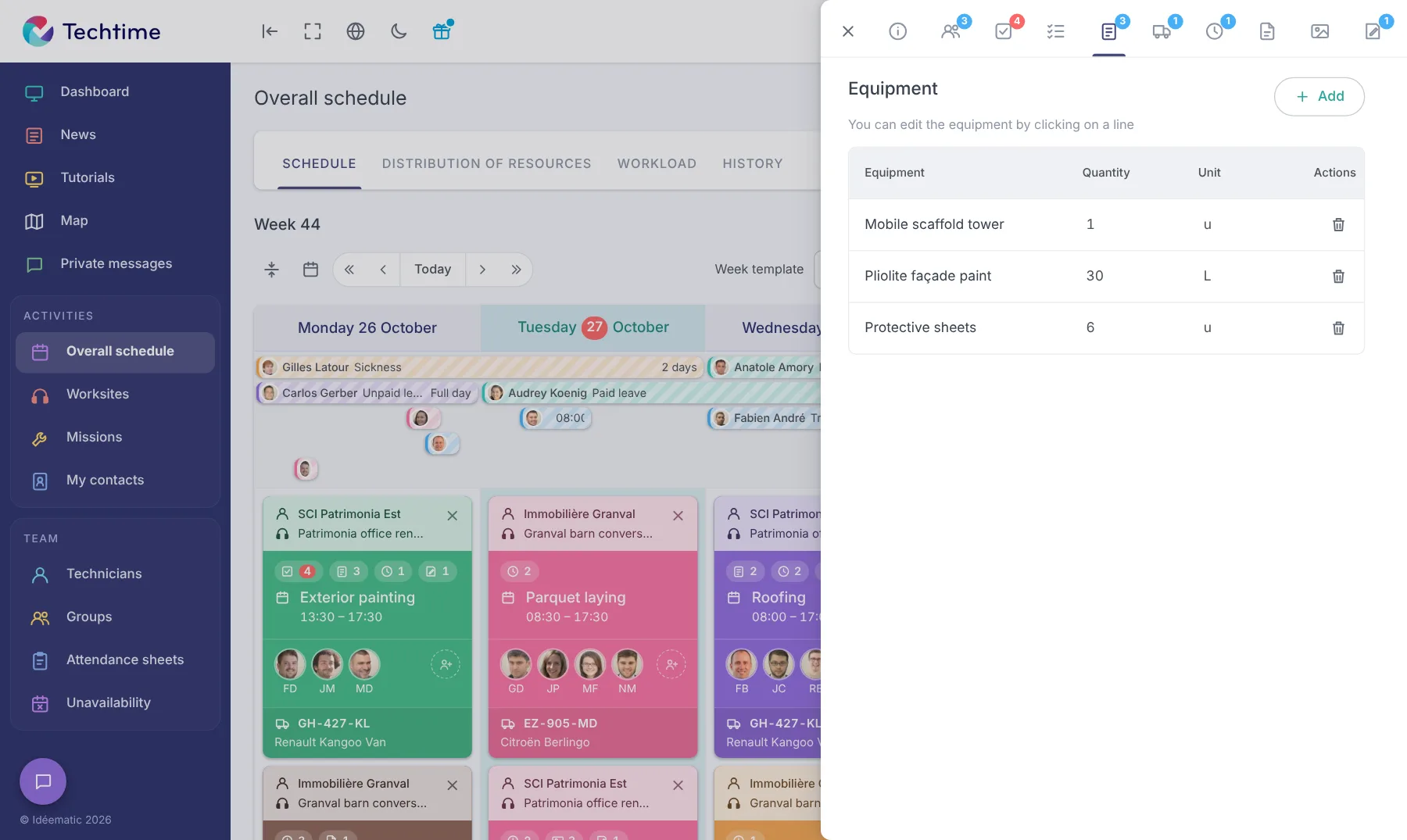
In the activity’s “Equipment” tab, you add, edit or remove items and specify the quantities.

Each worksite has its own list without changing the catalogue.

A list available in the field

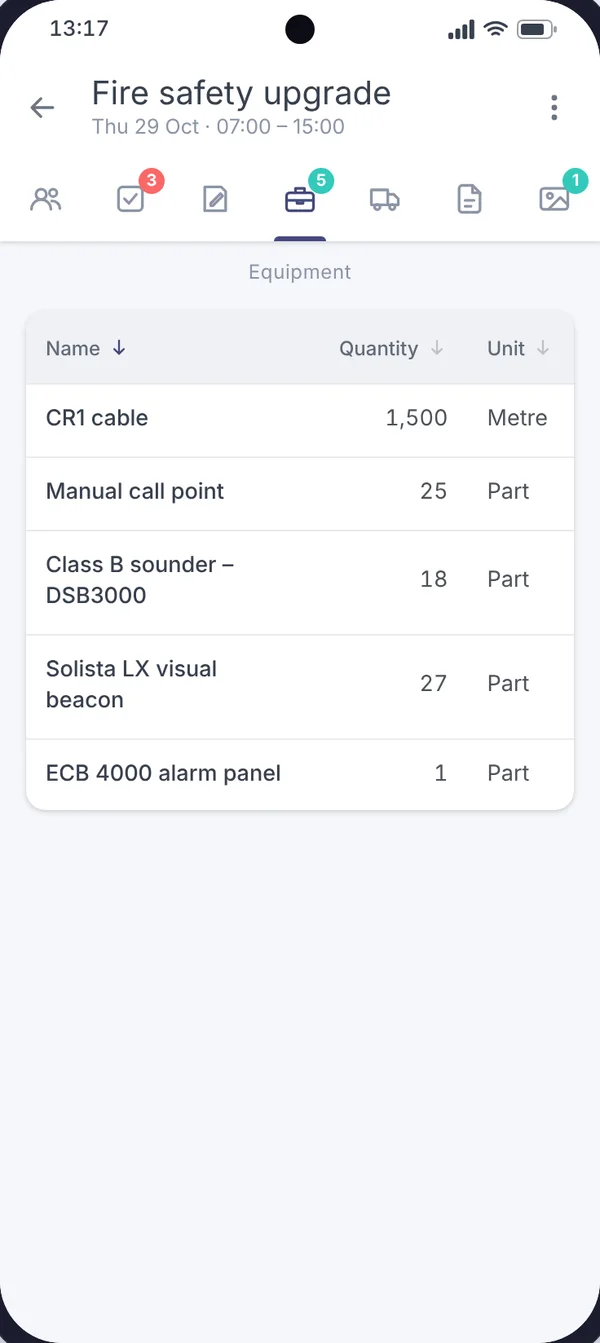
The technician sees the equipment list in the mobile app, with quantities and units.

They prepare their vehicle before setting off. To manage your equipment over time, also see our tips on managing your equipment fleet.

List of equipment needed for an activity in the Techtime mobile app

The equipment list in the mobile app

The activity’s “Equipment” tab shows what to take: cable, call points, sounders, alarm panel… with quantities and units.

The technician checks their load in seconds before hitting the road.

app.techtime.fr/planning
Equipment linked to a worksite activity in the Techtime schedule

The activity’s equipment in the schedule

In the web app, equipment is managed from the activity record, alongside the team, tasks, vehicle and documents.

Together with the activity’s vehicle, it lets you prepare every departure to site without forgetting anything.

Free trial

Sign up in under 47 seconds

No commitment, and you gain your superpowers: 14 days to try Techtime with your teams.

Yes, I’m flying: sign me up
Illustration: three people in superhero capes on a building under construction, between two cranes