


The BTS Bâtiment placement (part of a French two-year higher diploma in building) lasts a total of 8 weeks. At the end of this field experience, students must produce their construction placement report to validate their two-year course. Examiners notice recurring shortcomings in these reports: poorly structured outlines, impersonal writing, language errors, etc. (DirectEmploi). How can using a worksite tracking app help students improve the quality of their construction placement report? We will use the features of Techtime as a demonstration.
In brief
The BTS Bâtiment placement lasts 8 weeks and ends with a placement report that must demonstrate the skills acquired in the field. The most common mistakes: a loose structure, tasks listed without explanation, a lack of perspective and information scattered across several media. A worksite tracking app helps centralise photos, notes, attendance and incidents day by day, so the report can be written as you go, in four steps: get started with the tool, collect, write, finalise.
1Construction placement report: the challenges of writing it
For a BTS student, the aim of the construction placement report is to demonstrate their command of technical skills in the field. Their practical know-how and their powers of observation and synthesis are essential for validating their course, and then for their future job.
To win the examiners’ approval, the placement report must follow a precise outline. It generally contains the following elements (Pro rédaction):
- Introduction presenting the company, the placement and its objectives;
- Description of the construction placement, describing the assignments and tasks carried out;
- The results achieved after completing the tasks on the worksite;
- Analysis of the skills acquired during the placement (technical, methodological, interpersonal);
- Discussion of the experience covering areas for improvement for the company or the trainee, as well as reflections on their specialism;
- The conclusion, reviewing the placement, answering the central question and suggesting avenues for further thought.
- 1Introductioncompany, placement and objectives
- 2Descriptionassignments and tasks carried out
- 3Resultsachieved on the worksite
- 4Skillstechnical, methodological, interpersonal
- 5Discussionareas for improvement
- 6Conclusionreview and outlook
This list gives you an initial idea of the report’s content. The exact outline depends on the instructions of the examining institution. To find out more, see the BTS Bâtiment resources on Eduscol.
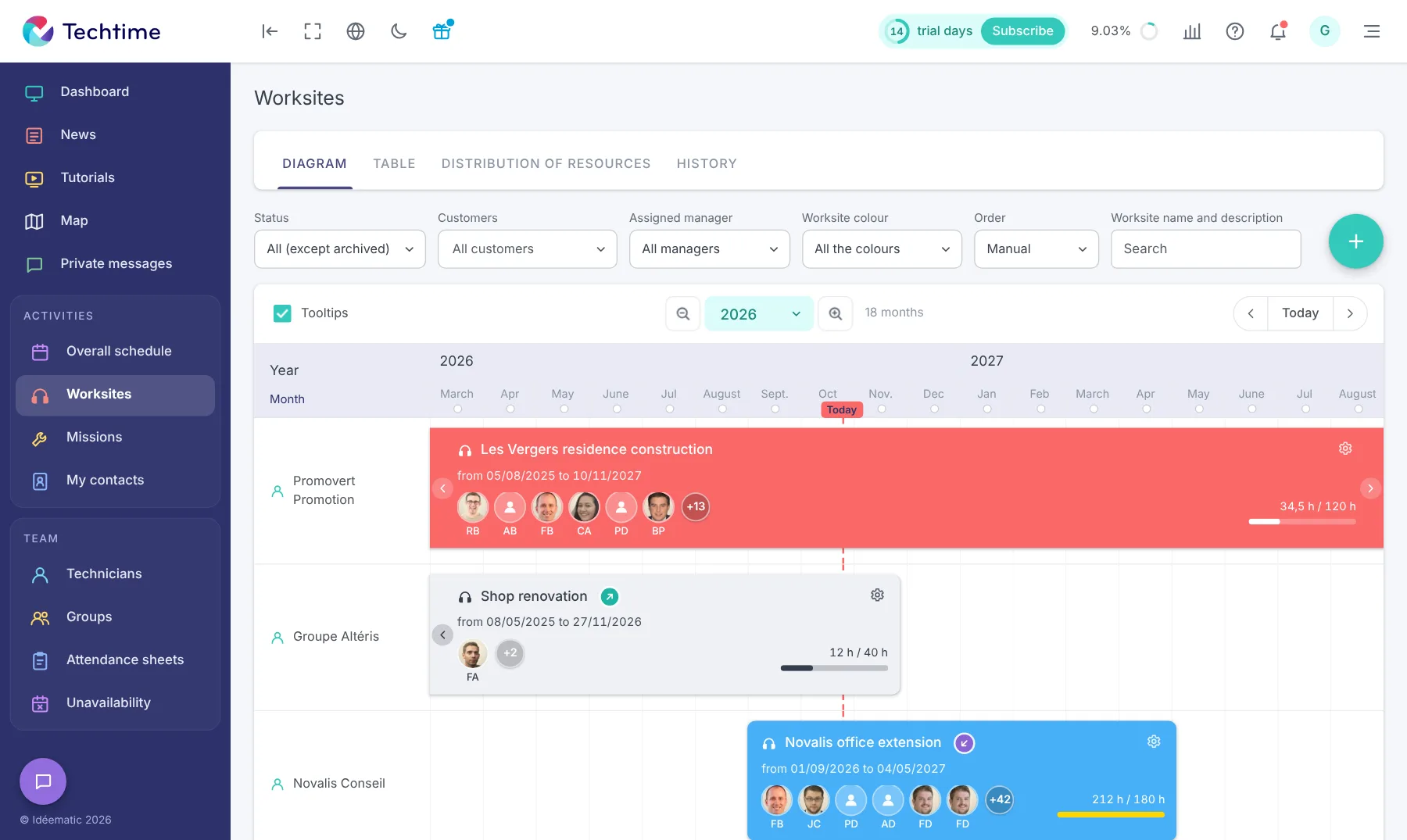
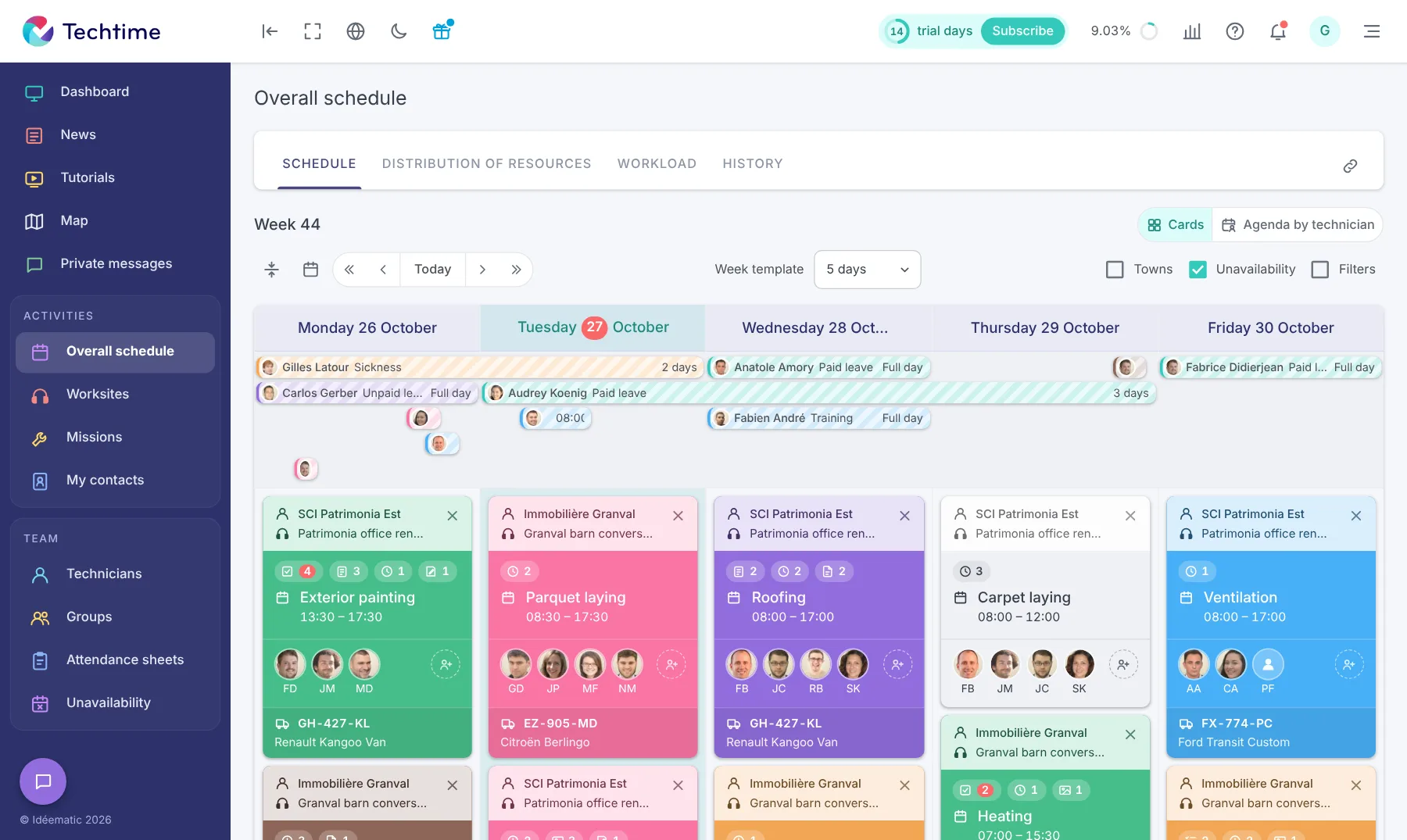
Fitting into the building company is a crucial skill among those assessed during the placement. As the worksite schedule shows, building or renovating a building requires synchronisation between the different construction trades.
Despite the instructions and the commitment of BTS students, examiners see the same mistakes year after year (Heyme):
- A loose structure;
- Tasks simply listed but not explained in detail;
- A lack of perspective and personal reflection;
- Unauthorised mention of confidential information;
- Uncited sources or forgotten appendices;
- Information scattered across several media (notebook, Excel files, photo folder, etc.).
If several of these major mistakes add up, the report’s mark can quickly fall below the pass mark and lead to the placement not being validated. Moreover, rigour and organisation are essential skills when working on a worksite, as when building your professional network in construction.
2How can a worksite tracking app improve your construction placement report?
For construction students, a worksite tracking app such as Techtime is an effective digital tool for organising their data. The following features will be a great help in structuring their placement report and adding the details needed for professional analysis:
- EDM (Electronic Document Management) is essential project management software, as it centralises all worksite documents. Photos, videos, Word or Excel documents about customers or technicians… everything is tagged by keyword on a secure platform. All resources are available to feed the appendices or key parts of the placement report, such as the description of assignments in the field;
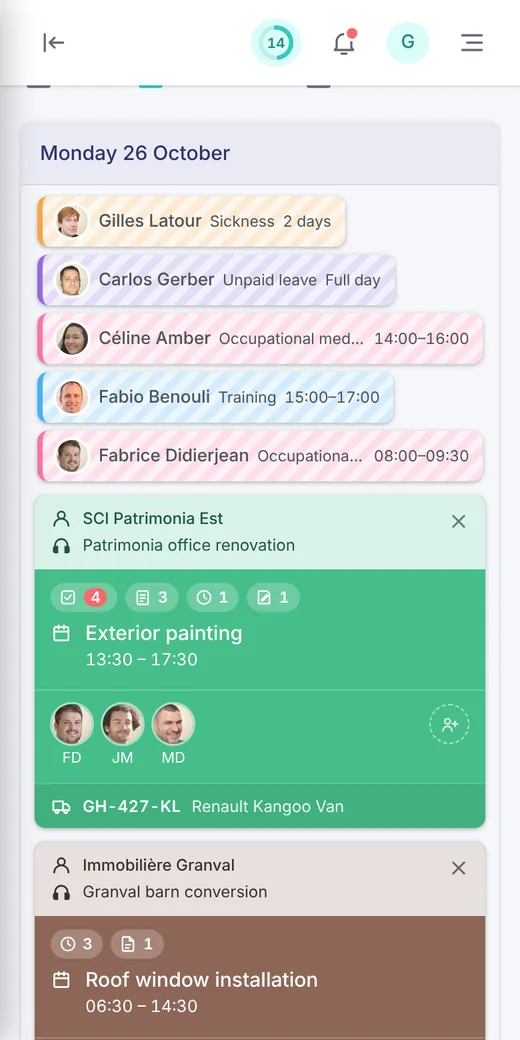
- The worksite schedule helps you recall the different tasks carried out on the worksite in chronological order. Students can consult the descriptions, the equipment used or the roles given to each tradesperson for a given assignment. These written records are all vital information for analysing the student’s ability to fit into a project;
- Automatic report generation can produce charts or tables depending on the configuration and the data available (time spent, costs, consumption). All metrics needed to back up arguments in the placement report.
A real-time worksite tracking app is not just an indispensable assistant for managing your project on the ground. It also gathers all the records needed to produce automatic reports or help you write a complete, rigorous report.
That is why, whether you are a BTS student or teacher, do not hesitate to request a live demo to master all of Techtime’s options.
34 steps to writing your construction placement report with a worksite tracking app
Writing the construction placement report requires method, rigour and follow-up throughout the learning period in the field. Here are four habits to adopt with the worksite tracking app to produce a complete, well-structured report.
- 1Get startedWith the app from day one of the placement
- 2CollectPhotos, notes, attendance and incidents, every day
- 3WriteAs you go, with your data as illustrations
- 4FinaliseProofread and highlight your use of the app
Get to grips with the app from the start of the placement
Among the tasks on the first day of the placement, discovering and mastering the worksite tracking app is already a crucial step. As a trainee, it is important to get familiar with the main features, such as the worksite schedule, instant messaging or EDM. By gaining this autonomy, you will fit in more quickly on the project or projects under way in the field. You will gain more professional experience to enrich your report.
Collect and organise your data regularly
Every day brings its share of data across different activities or areas of the building trade. By mastering data sorting in Electronic Document Management, you will save time when writing the report because the data is readily available. Make the following a habit:
- Taking geotagged photos;
- Noting remarks or particular observations on the ground;
- Recording your attendance using the schedule or timesheets;
- Reporting any incidents or changes during the project.
Write the report progressively, with illustrations
Do not wait until the last minute to report on what you have done in the field. Like a logbook, the placement report should be kept up daily so you forget neither the tasks you carried out nor your impressions.
Beyond the subjective account of your professional experience, work on and integrate your data as you go (tables, photos, PDF reports). These elements, along with your feedback, are all arguments for analysing your skills and taking a step back from the construction trade you are aiming for.
Finalise the document and highlight your use of the app
Once your report is finished, remember to proofread it to correct any language errors or inconsistencies in your structure. In the “Discussion” section, examiners will appreciate your analysis of how you used the worksite tracking app. Feel free to discuss its advantages and disadvantages to improve the user experience not only for yourself, but also for other construction trainees. Here are a few examples you can highlight:
- time savings;
- better organisation and more reliable data;
- help with thinking and writing;
- etc.
4Good practice for a successful construction placement report
A worksite tracking app like Techtime is a considerable help in writing the placement report, thanks to its various features. However, beyond the app, there are other basic rules to follow to pass your exam:
- Follow the report outline given by the examiners to the letter;
- Link your field experience to your theoretical analysis, using the photos and other documents available in the EDM;
- Think critically when discussing your results and field experience (what skills have you acquired? what areas for improvement?);
- Include the most important data in the body of the report (photos, charts or screenshots) so as not to overload your report. Put all other information in an “Appendix” section, without forgetting to add the necessary references in footnotes;
- Caption all your visuals clearly and precisely, especially photos and charts.
5Conclusion
Writing a construction placement report is a demanding exercise that requires rigour, organisation and analytical skills. BTS Bâtiment students struggle to centralise their data and structure their experiences. These difficulties cost them marks when they submit the report to the examiners, and then at the oral presentation.
A worksite tracking app like Techtime is a real teaching ally. Its features make it possible to centralise documents, make it easier to track assignments and generate clear reports. Students write a more complete and professional placement report.
If you are starting your construction placement and your host company does not use Techtime, do not hesitate to ask for a demo on day one. The Techtime team is at your disposal to present this powerful worksite and job management software. Contact us now.
Frequently asked questions
What should a construction placement report contain?
Generally: an introduction presenting the company and the placement, a description of the assignments, the results achieved, an analysis of the skills acquired, a discussion of areas for improvement and a conclusion. The exact outline depends on the institution’s instructions.
What mistakes should you avoid in a construction placement report?
A loose structure, tasks listed without explanation, a lack of perspective, unauthorised mention of confidential information, uncited sources or forgotten appendices, and information scattered across several media.
How does a worksite tracking app help you write your report?
It centralises photos, notes, attendance and incidents day by day. The schedule lets you retrieve the tasks carried out in order and the EDM keeps all documents in one place, so you can write the report as you go.