


The building sector is becoming increasingly digital, not only on the ground but also in education. According to a survey by Cercle Promodul/Inef4, 51% of trainers in continuing education consider connected tools for the BTS Bâtiment (a French two-year higher diploma in building) indispensable. Among the skills expected at the end of the course, digital worksite management is increasingly required, well before the first construction placement.
On the ground, young graduates need to be operational as soon as they join a company. That is why worksite management software is indispensable for simulating real projects and developing professional autonomy.
Among the apps available on the market, how can Techtime establish itself as an educational worksite management app? We suggest various exercises you can carry out with our digital tool.
In brief
Techtime is worksite management software designed for construction professionals that also serves as a teaching tool on the BTS Bâtiment. Students learn to plan and track worksite activities, work as a team and automate repetitive tasks. Four exercises are suggested: creating a mock worksite schedule, coordinating between several companies, tracking a worksite’s profitability with timesheets and synchronising software with Zapier.
1Techtime: a tool designed for building professionals in the field
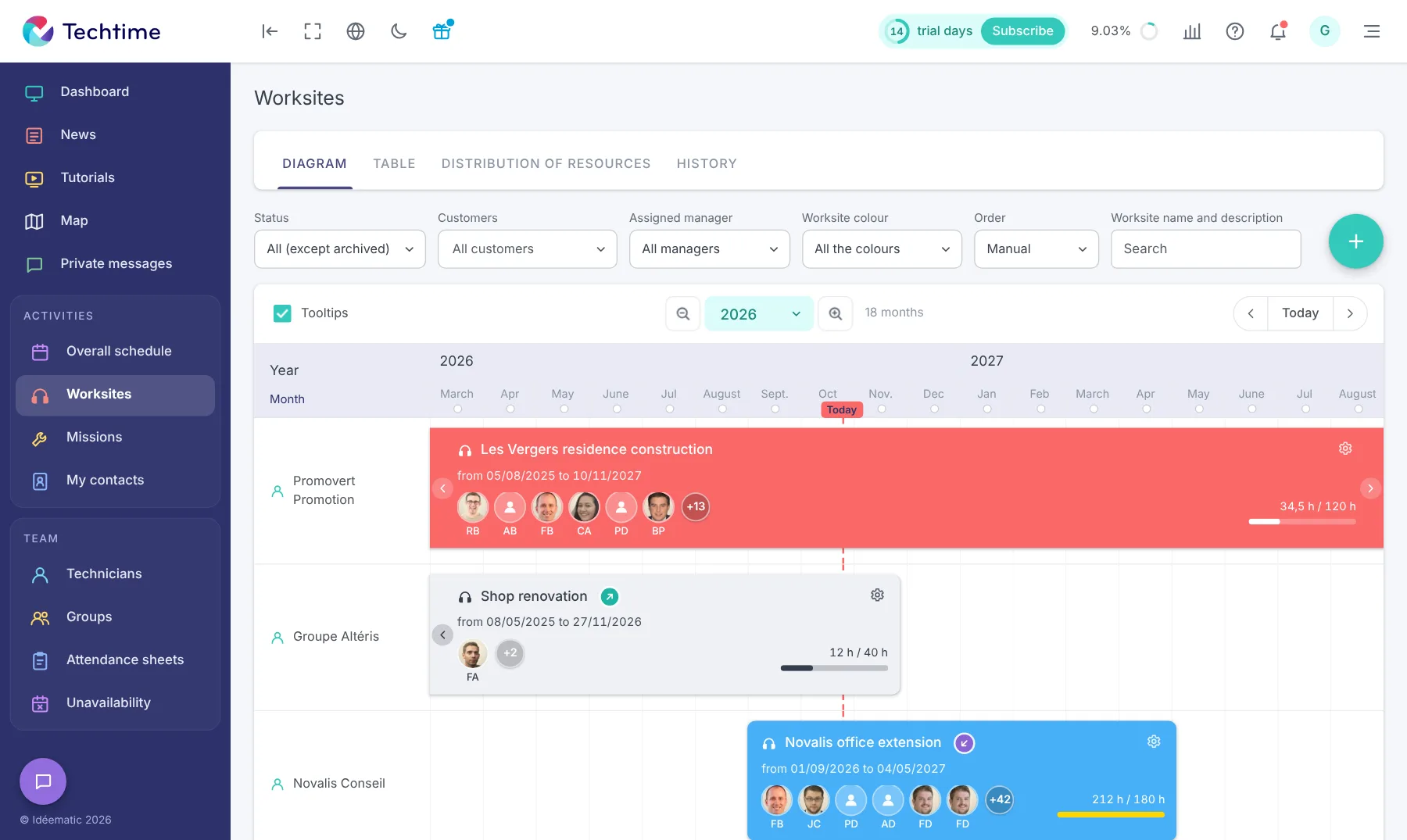
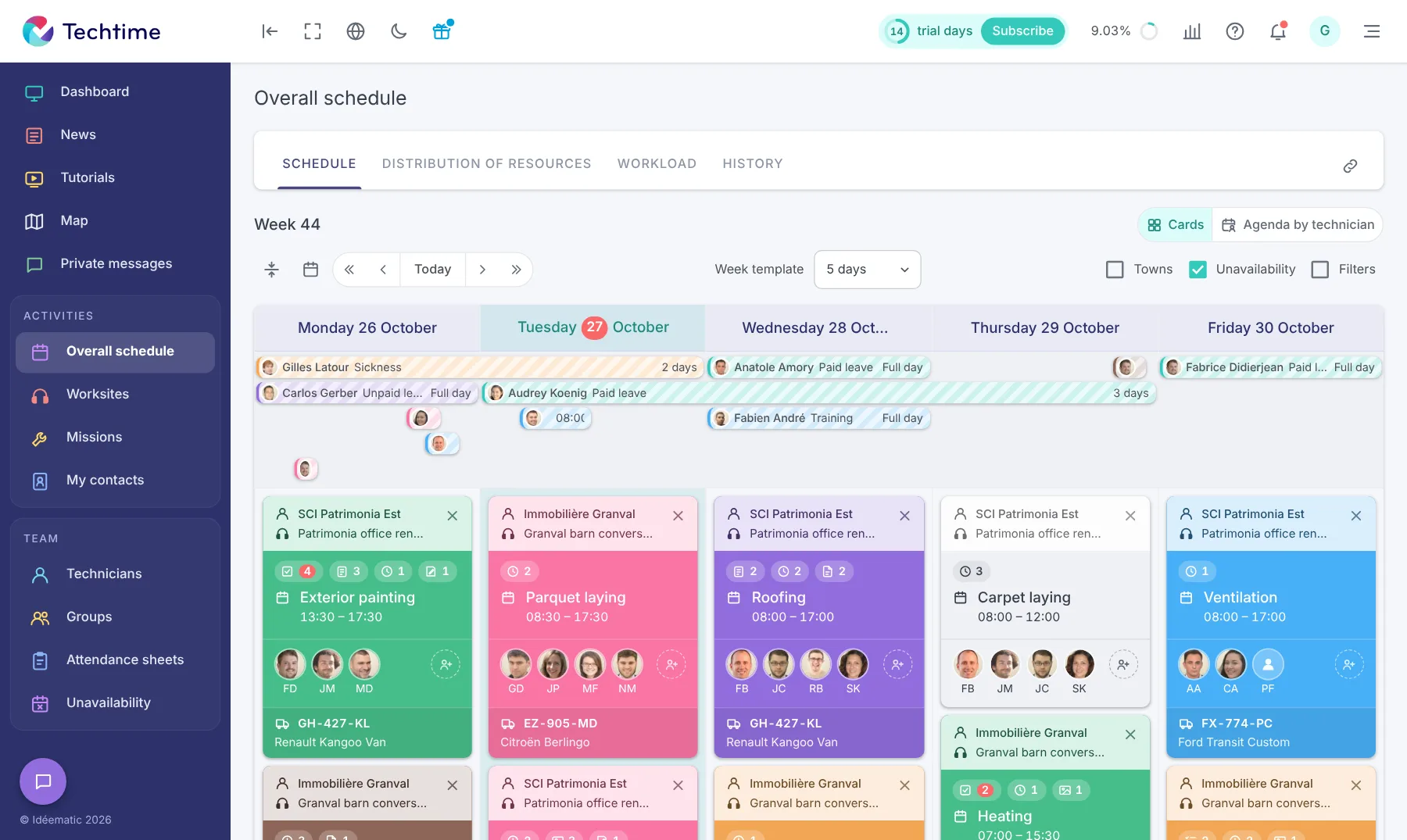
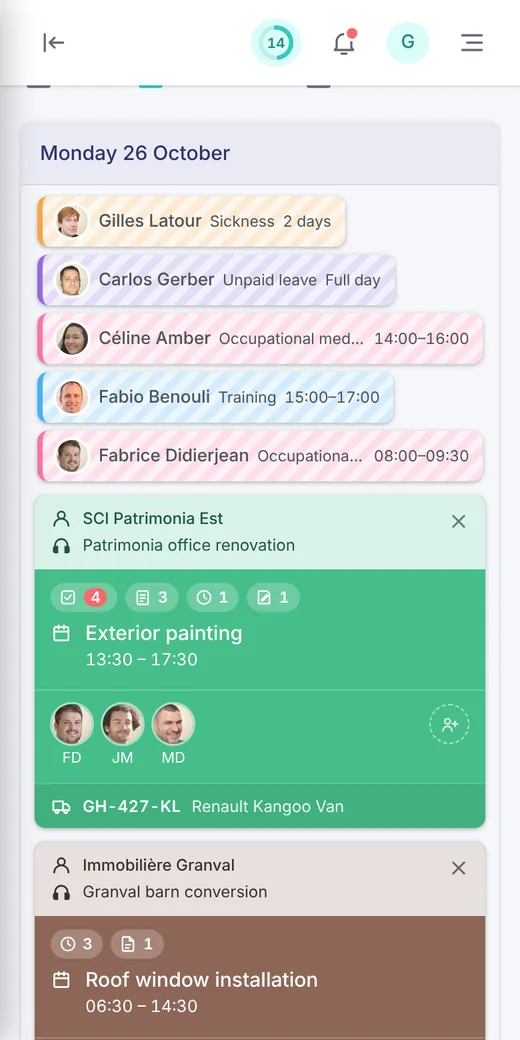
Techtime brings together all the basic features needed to manage the various jobs on worksites efficiently. The interfaces adapt to web or mobile. The main features are:
- Plan jobs and manage the worksite schedule in real time. The project lead shares the tasks to be done, the job schedule, the technicians’ roles, the resources needed, etc. in real time;
- Centralise documents with Electronic Document Management (EDM) built in. Users centralise all worksite documents in a single cloud;
- Coordinate teams and equipment;
- Communicate efficiently with instant messaging. Worksite stakeholders share important information about their client or their tasks, with the option of sharing photos of the site.
Collaboration and building a professional network in construction are key success factors as the construction market tightens. According to Batiweb, a 10% drop in new builds is forecast for 2025 compared with the 350,000 housing starts recorded in 2024. The same source also reports that more than 12,700 construction companies closed in 2024.
That is why we wanted to make Techtime a unique worksite-sharing software between companies. Multi-company sharing improves coordination between subcontractors and responsiveness to the unexpected. Each partner goes beyond simple “guest” status to interact directly with the schedule and digital documents.
To optimise worksite administration and database reliability, Techtime is now compatible with the platform Zapier. This integration connects our app with more than 8,000 general-purpose applications so you can bring all your tasks together in one tool. This synchronisation saves time and reduces the risk of errors or omissions in project tracking.
2Techtime’s teaching benefits for BTS Bâtiment students
Techtime is software designed for construction professionals, but it is just as practical for students on the BTS Bâtiment. It helps develop the following skills:
- Planning and tracking worksite activities. Students manage timesheets and allocate the resources needed to carry out the tasks;
- Organising collaborative work. They share out the roles (site manager, bricklayer, electrician, etc.) and organise themselves according to their availability and resources. They use instant messaging to exchange important information and share their documents in the EDM;
- Adopting the automation of repetitive tasks and synchronising software to save time and boost productivity, and reduce worksite costs.
3Practical exercises with this educational worksite management app
To learn and master Techtime’s features, we suggest 4 BTS-level exercises that are simple to set up.
Draw up the works timetable from a worksite file
Coordinate between companies and subcontractors
Enter timesheets and analyse variances
Connect software with the Zapier module
Create a mock worksite schedule
Using a worksite file with plans and specifications, students draw up the works timetable. With Techtime, they assign themselves roles, share out the tasks and estimate the duration of each one. Confronted with the interdependence of certain tasks, they develop their responsiveness and adaptability to constraints that may arise (late delivery, absence, etc.).
One of their main objectives is to avoid remedial work, which can cost their mock company time and money.
Coordinate between several companies
Students split into several companies or independent subcontractors. Using our worksite sharing between companies feature and our EDM, they learn to coordinate to complete the building. The worksite schedule, documents in the cloud and instant messaging are at the heart of communication. The difficulty of the exercise lies in the interdependence of tasks: for example, the plumber cannot start before the bricklayer.
Track a worksite’s profitability
During the project, each student enters their mock timesheets in Techtime and sends them to the project lead. The lead analyses team members’ productivity based on the time worked, their timestamped photos and the actions carried out. The aim is to keep to the worksite costs set out in the initial quote.
If the project lead notices variances (extra hours or resources), they analyse them with Techtime and suggest corrective solutions. The teacher can ask the group for a daily report or weekly report on their activity to make sure there is no overrun.
Synchronise software
Using the various software at their disposal, students use the Zapier module built into Techtime to synchronise them. Some Zapier integrations require specific settings and do not cover 100% of the software used in construction. This requirement sharpens the attention and rigour of every student.
They become familiar with automating certain processes, such as sending invoices or quotes or managing contacts. They come to understand that this automation saves time and reduces data entry errors. They can then focus better on their tasks on the ground.
4Integrating Techtime into a teaching sequence
For each exercise above, or others on the same theme, Techtime is used in the following stages:
- Discovering the exercise in class to understand the instructions properly;
- Simulation of a real worksite;
- Comparing Techtime with other tools used during their company placements;
- Writing a report highlighting what the software brings to worksite management.
- 1Discoveryunderstanding the instructions in class
- 2Simulationsimulating a real worksite
- 3Comparisonwith the tools used on placement
- 4Reportwhat the software brings
By validating all the expected skills, students demonstrate undeniable autonomy and reliability in digital worksite management. This know-how becomes a decisive asset on the CVs of future building professionals.
5Conclusion
Training students in worksite management requires exposure to software and situations close to reality. Techtime stands out as a teaching tool of choice for this. Our app offers an overall view of the worksite, encourages collaboration and introduces the economic issues inherent in the digitalisation of construction. It is an investment in students’ futures and in the success of the companies that will recruit them at the end of their studies.
By choosing Techtime, trainers have a tool already used by many construction companies. This guarantees continuity between training and the professional world.
Frequently asked questions
Why use Techtime on the BTS Bâtiment?
Because young graduates need to be operational as soon as they join a company. Techtime is already used by many construction companies, ensuring continuity between training and the professional world.
What exercises can be done with Techtime?
Creating a mock worksite schedule from a file, coordinating between several companies or subcontractors, tracking a worksite’s profitability with timesheets and synchronising software with the Zapier module.
How do you integrate Techtime into a teaching sequence?
In four stages: discovering the exercise in class, simulating a worksite, comparing with the tools used on placement, then writing a report on what the software brings.